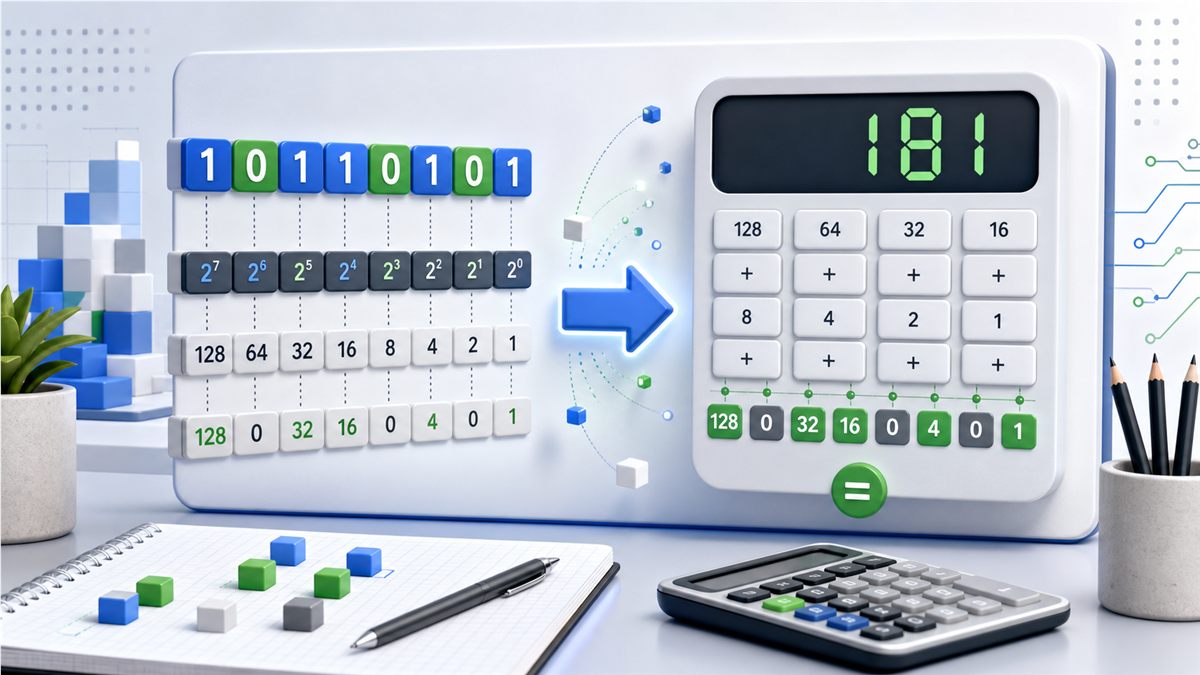
How to Convert Binary to Decimal – Complete 2026 Guide
Quick Links:
- Binary to Decimal Converter
- Binary Converter – switch between bases fast
- Binary Calculator – add, subtract, multiply, divide
- Decimal to Binary Converter – reverse the process
- How to Convert Decimal to Binary – the reverse process, explained step by step
- Binary to Hex Converter – move to base 16
- Hex to Binary Converter – decode hex values
- Binary to Octal Converter – Unix-friendly octal
- ASCII Converter – text and ASCII codes
- All Blog Articles
Why This Guide Matters
Converting binary to decimal looks intimidating until you see how each bit maps to a power of 2. Whether you are auditing subnet masks, checking feature flags, or teaching computer fundamentals, knowing this conversion speeds up debugging and improves communication with devs and network teams. This article follows E-E-A-T: practical experience from real troubleshooting, accurate math, and transparent steps you can verify in our live tools.
Binary to Decimal in One Sentence
Each bit is worth 2 raised to its position from the right (starting at 0). Add the values of every 1 bit to get the decimal number.
Core Concept: Powers of Two
Binary is base 2. Positions increase as powers of 2: 1, 2, 4, 8, 16, 32, 64, 128, 256, and so on. A bit set to 1 includes that power; a bit set to 0 contributes nothing. Summing those powers gives the decimal value. You can verify any example instantly in the Binary to Decimal Converter.
Step-by-Step Conversion (Manual Walkthrough)
- Write the binary string. Example: 10110.
- Label positions from right to left starting at 0. Positions are 0, 1, 2, 3, 4.
- List powers of 2 for those positions: 1, 2, 4, 8, 16.
- Multiply each bit by its power. If the bit is 0, the contribution is 0.
- Add the contributions. For 10110, you add 0 + 2 + 4 + 0 + 16 = 22.
If you prefer to see steps rendered automatically, drop the value into the live tool above. Need the reverse path? Open the Decimal to Binary Converter.
Stream-Friendly Loop (for Coders)
A quick left-to-right loop doubles the running total and adds the next bit:
let total = 0;
for (const bit of '10110') {
  total = total * 2 + Number(bit);
}
// total is 22
This mirrors how CPUs process streams. For large lists, script it or paste batches into the Binary Converter to hop between bases.
Mental Shortcuts
- Nibble anchor: 1111₂ equals 15. Group long binaries into 4-bit chunks to estimate fast.
- Even/odd check: If the rightmost bit is 0, the decimal result is even; if it is 1, it is odd.
- Single 1 rule: A lone 1 at position k equals 2^k. Handy for feature flags and permissions.
- Shift intuition: Left-shifting once multiplies by 2; right-shifting divides by 2 (discarding fractions).
Signed vs. Unsigned Values
Unsigned binary treats every bit as magnitude. Signed integers in most systems use two's complement:
- If the leftmost bit is 1 and the value is signed, invert the bits, add 1, then apply a negative sign.
- Always confirm bit width (8, 16, 32) from API docs, DB schema, or language defaults.
- When unsure, cross-check with the Binary Calculator and, if the source is hex, with the Hex to Binary Converter.
Practical Use Cases
Networking and Security
- Subnet masks: 11111111.11111111.11111111.00000000 → 255.255.255.0
- Packet flags: Convert binary headers to decimal to scan logs quickly.
Development and Debugging
- Feature flags and bit masks: Validate that 100100₂ equals 36₁₀ so the right options are enabled.
- Protocol headers: Convert binary fields to decimal for readable logging.
Data Analysis and IoT
- Sensor payloads: Turn binary strings into decimal values for charts and alerts.
- Device registers: Decode status bits to human-readable states; convert to octal with the Binary to Octal Converter when documentation prefers octal.
Education and Training
- Assign students a few manual conversions, then verify with the Binary to Decimal Converter to build intuition without frustration.
Conversion Table (Common Values)
| Binary | Decimal | Hex | Octal |
|---|---|---|---|
| 0 | 0 | 0 | 0 |
| 1 | 1 | 1 | 1 |
| 10 | 2 | 2 | 2 |
| 101 | 5 | 5 | 5 |
| 1010 | 10 | A | 12 |
| 1111 | 15 | F | 17 |
| 10000 | 16 | 10 | 20 |
| 100000 | 32 | 20 | 40 |
| 1000000 | 64 | 40 | 100 |
| 11111111 | 255 | FF | 377 |
| 100000000 | 256 | 100 | 400 |
| 10000000000 | 1024 | 400 | 2000 |
Common Mistakes (and How to Avoid Them)
- Mixing signed and unsigned contexts: Check the expected bit width before converting.
- Dropping leading zeros: They matter for fixed-width formats (like bytes or subnet octets), even if the numeric value stays the same.
- Off-by-one positions: Start counting positions at 0 on the rightmost bit.
- Skipping validation: Reject inputs containing anything other than 0 or 1. Our converter does this automatically.
- Not cross-checking formats: If the source was hex or octal, translate it first with the linked tools to ensure you start from the correct base.
Quality Checklist for Accurate Conversions
- Validate input is strictly 0s and 1s.
- Confirm signedness and bit width (8, 16, 32) from the system you are working with.
- Chunk long binaries into 4-bit or 8-bit blocks to reduce human error.
- Cross-verify in the Binary Calculator for arithmetic sanity checks.
- Document assumptions in code comments so teammates can replicate results.
Example: From Binary to Decimal and Hex
Take 1100101₂:
- Positions: 6 5 4 3 2 1 0
- Powers: 64, 32, 16, 8, 4, 2, 1
- Contributions: 64 + 32 + 0 + 0 + 4 + 0 + 1
- Decimal result: 101
- Hex result: 65
You can confirm this in one click with the Binary to Decimal Converter and then view the hex output in the same tool or jump to the Binary to Hex Converter.
Frequently Asked Questions
Q: How do I convert large binary numbers quickly?
A: Use the online converter for instant results, then sanity-check a few blocks manually. For batches, paste values into the Binary Converter.
Q: How do I know if a binary value is negative?
A: In two's complement, a leading 1 usually signals a negative number. You need the bit width to decode it. Verify with the Binary Calculator.
Q: Why do I see 0b at the start of a number?
A: That prefix marks a binary literal in languages like JavaScript and Python. Drop the 0b and convert the rest.
Q: Can I go straight from binary to hex?
A: Yes—use the Binary to Hex Converter. Group bits in fours to see how hex maps to binary visually.
Q: Is octal still relevant?
A: Yes, for Unix permissions and some embedded docs. Use the Binary to Octal Converter.
Final Takeaways
- Binary to decimal conversion is a predictable, mechanical process once you map bits to powers of two.
- Use tools to avoid slips: Binary to Decimal Converter for instant answers, Binary Calculator for arithmetic, and Decimal to Binary Converter for the reverse.
- When speed and accuracy matter, validate inputs, confirm signedness, and keep this guide handy for quick mental checks.
Ready to convert right now? Open the live Binary to Decimal Converter and drop in your number—decimal, hex, and octal outputs are one click away.
Try Our Free SEO Tools
Put what you learned into action with our free SEO analysis tools.