Indexing Services: Complete Guide to Getting Pages Found Faster in 2026
Quick Links: Google Index Checker · Indexing Request Tool · SEO Audit Tool · XML & HTML Sitemap Generator · Robots.txt Generator · HTTP Status Checker · Internal Linking Assistant
Indexing services sound simple, but the real job is bigger
Let's talk honestly about indexing services.
Most people search for indexing services when they have the same problem: they published a page, waited a few days, checked Google, and nothing appeared. No impressions. No traffic. Maybe Google Search Console says Discovered - currently not indexed. Maybe it says Crawled - currently not indexed. Maybe the URL is not discovered at all. At that moment, "submit my URLs somewhere and make Google index them" sounds very attractive.
And yes, a good indexing service can help. But a serious indexing workflow is not magic. It does not bribe Google, bypass quality systems, or force every URL into the index. Google itself explains that Search works through crawling, indexing, and serving, and that not every discovered page will be indexed. You can read Google's own overview in its How Search works documentation.
So the smarter question is not "Can indexing services guarantee instant indexing?" The better question is: "Can an indexing service help Google discover my important URLs, remove technical blockers, strengthen internal signals, and monitor what happens next?"
That is where real SEO indexing services become useful.
In this guide, we will walk through what indexing services are, how they work, which long-tail use cases matter, what red flags to avoid, and how to build a clean indexing process using tools like the Google Index Checker, Indexing Request Tool, SEO Audit Tool, and XML & HTML Sitemap Generator.
What are indexing services?
Indexing services are tools or professional workflows that help search engines discover, crawl, evaluate, and monitor your URLs more efficiently.
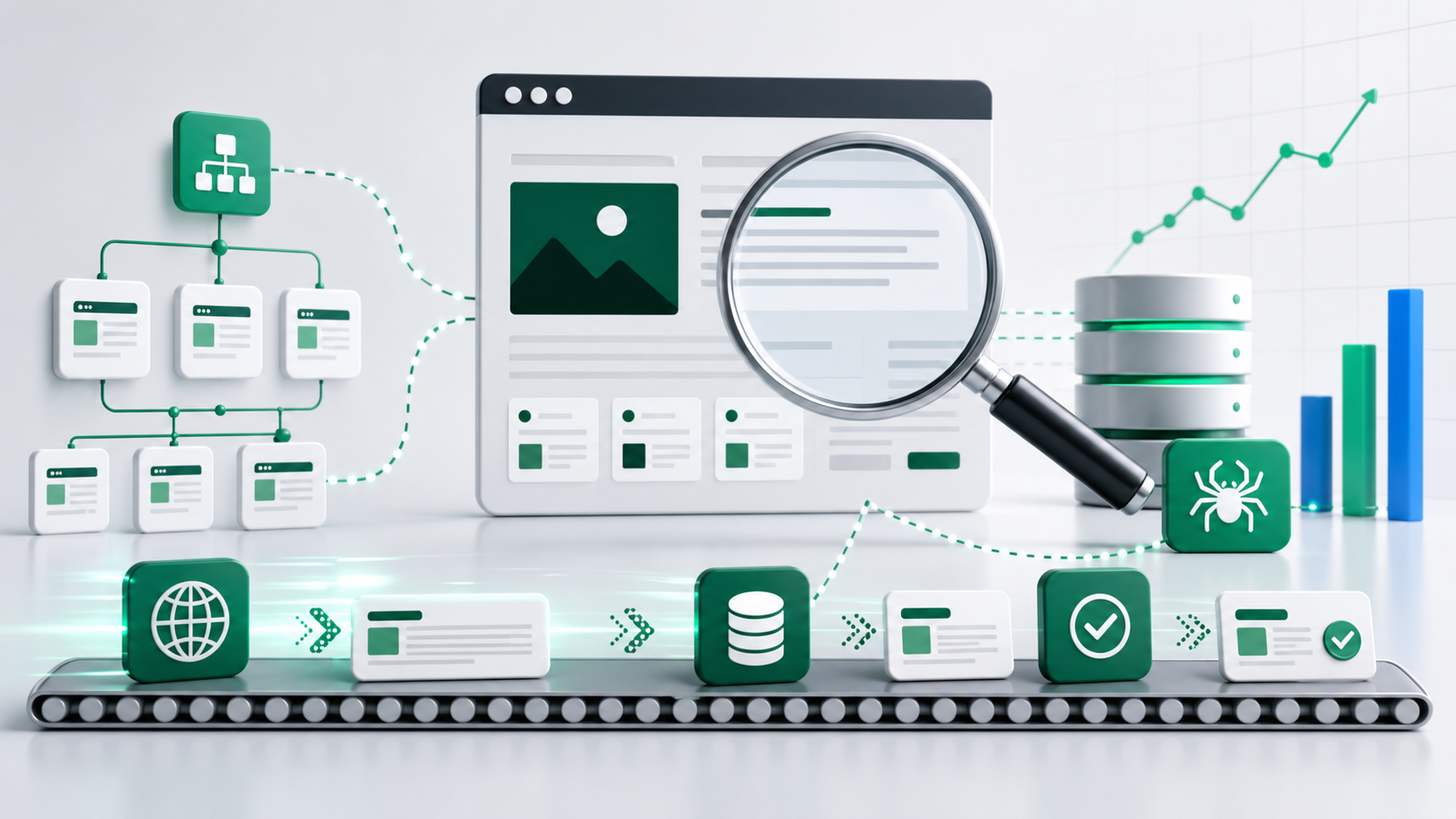
That definition matters because indexing is not one single button. A page usually passes through a few stages:
- Search engines discover the URL through links, sitemaps, feeds, or submission signals.
- Crawlers visit the page and fetch its HTML, assets, status code, and metadata.
- The search engine analyzes the content, canonical signals, structured data, page quality, and duplication.
- The page may be stored in the index and become eligible to appear in search results.
- After that, the page still has to rank for relevant queries.
So when we say website indexing services, we are really talking about a set of tasks around discovery, crawlability, indexability, and reporting.
A basic URL indexing service might only ping URLs or submit them somewhere. A better technical SEO indexing service will check whether the URL returns a 200 status, whether it is blocked by robots.txt, whether it has a noindex tag, whether the canonical points somewhere else, whether the page is included in the sitemap, and whether important internal pages link to it.
That second type is the one you want.
If you only submit URLs without fixing the reason they are not indexed, you are just knocking on the same locked door again.
Why indexing matters before ranking
Here is the simple SEO chain:
No discovery means no crawl. No crawl means no indexing. No indexing means no ranking.
You can write the best article in your market, build a beautiful landing page, or launch a product page with perfect copy. But if Google does not index that URL, the page cannot bring normal organic traffic from Google Search.
This is why indexing services are popular with:
- New websites trying to get their first pages discovered.
- Blogs publishing fresh long-form content.
- Ecommerce stores adding or updating product pages.
- Agencies managing many client URLs.
- SaaS companies launching feature pages, comparison pages, and tool pages.
- Local businesses creating service-area landing pages.
- Publishers refreshing old articles and wanting recrawls.
Indexing is not the whole SEO game, but it is the gate at the start of the game. If your important URLs are stuck outside the index, keyword research and content optimization cannot do much.
What indexing services can actually do
Good SEO indexing services help with practical things that search engines can respond to. They can:
- Check whether a URL is already indexed.
- Find pages that are not indexed.
- Confirm that important URLs return a clean 200 status.
- Catch noindex tags, blocked robots.txt rules, redirect loops, 404s, 500s, and soft 404 problems.
- Help you refresh or generate XML sitemaps.
- Create a submission workflow for new or updated pages.
- Suggest internal links from relevant pages.
- Monitor URLs over time so you know what changed.
- Organize bulk URL indexing tasks for agencies and larger sites.
For example, before you request indexing, run the URL through the HTTP Status Checker. If the page returns a 404 or 500, indexing is not the real problem. The page is broken. If the status is clean, use the Google Index Checker to confirm whether the URL is indexed. Then use the SEO Audit Tool to catch broader issues that could make the page less valuable or harder to process.
This is the boring part of indexing, but boring is often where SEO wins.
What indexing services cannot guarantee
Now let's be very clear.
No legitimate indexing service can guarantee that Google will index every URL instantly. Google says submitting a sitemap is a hint, not a guarantee, in its sitemap documentation. Google also says the Indexing API is for specific eligible pages, mainly job posting and livestreaming event pages with the required structured data, as explained in its Indexing API documentation.
That means you should be careful with any service promising things like:
- "Guaranteed Google indexing in 5 minutes."
- "Index unlimited URLs without quality checks."
- "Bypass Google Search Console limits."
- "Index thin affiliate pages automatically."
- "Use secret Google loopholes."
Promises like that are not just unrealistic. They can push you toward spammy workflows that damage your site long term.
A reliable indexing service should talk about crawl access, content quality, canonicalization, sitemap hygiene, internal links, and monitoring. If the whole pitch is just "instant indexing", take a breath and look closer.
How indexing services work in a clean SEO workflow
A practical indexing workflow has a few steps. You can use this whether you run a small blog or manage thousands of URLs for clients.
1. Choose the URLs that deserve indexing
Not every URL needs to be indexed.
Your login page, cart page, filtered search URLs, duplicate tag pages, thin archive pages, and internal search results may not belong in Google. A good indexing service starts by separating important URLs from noise.
Priority URLs usually include:
- Homepage and main category pages.
- Blog posts that answer real search queries.
- Product pages with unique descriptions.
- Service pages for locations or industries.
- Tool pages, calculators, templates, and resources.
- Updated pages that now provide better information.
If a page has no unique value, trying to force it into the index is the wrong battle. Improve the page first or keep it out of the index on purpose.
2. Check technical accessibility
Before any submission, confirm that crawlers can access the URL.
Use the HTTP Status Checker to confirm the final URL returns 200. Check redirects with the Redirect Checker. If the URL has a redirect chain, fix the internal links so they point directly to the final page.
Then check robots.txt. A wrong disallow rule can block crawling for an entire folder. If you need a clean setup, use the Robots.txt Generator.
Also check for a noindex tag. Google notes that a noindex directive must be visible to crawlers, which means blocking the page in robots.txt can prevent Google from seeing the noindex instruction. That detail is easy to miss, and Google's noindex documentation explains it clearly.
3. Verify canonicals and duplicates
Canonical tags tell search engines which version of similar pages should be treated as the main version.
If your page says:
<link rel="canonical" href="https://example.com/old-page/" />
but you are trying to index:
https://example.com/new-page/
then you are sending mixed signals. The page may be crawled, but Google may choose the canonical URL instead of the one you submitted.
This is common with ecommerce filters, paginated pages, copied product descriptions, printer-friendly pages, and location pages that are too similar.
Indexing services for ecommerce product pages should always check canonicals and duplication before submission. Otherwise, you may be submitting hundreds of URLs that point their authority somewhere else.
4. Strengthen internal links
Internal links are one of the most underrated indexing signals.
If no important page links to your new URL, it looks less important. It also becomes harder for crawlers to discover naturally. That is why internal linking for indexing should be part of every indexing service.
A good internal link should:
- Come from a relevant page.
- Use descriptive anchor text.
- Point to the final canonical URL.
- Sit inside useful body content, not just a random footer block.
- Help the reader continue their journey.
For example, if you publish a new guide about indexing services, you can link to it from a Google indexing guide, a Google Index Checker guide, and a technical SEO article. You can also link from tool pages where the context fits, such as the Indexing Request Tool or Google Index Checker.
Need help finding link opportunities? Use the Internal Linking Assistant to build a stronger site structure.
5. Update and submit the sitemap
An XML sitemap helps search engines discover important URLs and understand when they changed. It is especially useful for large sites, new sites with few backlinks, and sites with pages that are not deeply linked yet.
But again, a sitemap is not a command. It is a signal.
Use the XML & HTML Sitemap Generator to create or refresh your sitemap, then submit it in Google Search Console. Add the sitemap URL to robots.txt as well:
Sitemap: https://www.example.com/sitemap.xml
This gives crawlers a clean path to your important URLs.
6. Request indexing or trigger discovery signals
Once the page passes the basics, you can request indexing through Google Search Console for individual URLs or use a workflow around the Indexing Request Tool for organized URL management.
This is where bulk URL indexing services can be helpful, especially for agencies, publishers, and ecommerce sites. The goal is not to spam submissions. The goal is to manage priority URLs, avoid duplicates, track what was submitted, and follow up with status checks.
7. Monitor the result
Indexing is not always immediate. Some pages are indexed quickly. Some take days or weeks. Some are crawled and not indexed because Google sees low value, duplication, weak signals, or technical confusion.
Use the Google Index Checker for fast monitoring, then use Google Search Console for deeper inspection. If pages keep staying out of the index, do not just resubmit them. Diagnose the reason.
Best indexing services for websites: what features to look for
When people search for the best indexing services for websites, they usually compare speed, price, and volume. Those are useful, but they are not enough.
Look for these features instead:
Index status checks
The service should help you see which URLs are indexed, not indexed, or uncertain. Without status tracking, you are working blind.
Technical SEO checks
At minimum, the service should check status codes, robots.txt access, noindex tags, canonicals, redirects, and sitemap inclusion. Pairing indexing with an SEO Audit Tool gives you a much better chance of finding the real issue.
Bulk management
If you manage many URLs, you need upload, grouping, history, and reporting. Bulk URL indexing services should help you avoid submitting the same broken URLs repeatedly.
Internal link recommendations
Indexing improves when important pages are connected. If a service ignores internal links, it is missing a major part of the indexing puzzle.
Honest expectations
Good providers explain that indexing is not guaranteed. They also explain what they will do if a URL does not index after submission.
Clear reporting
You should be able to answer:
- Which URLs were checked?
- Which URLs were submitted?
- Which URLs are indexed now?
- Which URLs failed technical checks?
- Which URLs need better content or stronger internal links?
If a service cannot show this, it is hard to know what you are paying for.
Affordable indexing services for SEO: how to judge value
An affordable indexing service is not simply the cheapest one.
Cheap is only good if the workflow protects your site. A low-cost service that blasts thousands of weak URLs, ignores technical problems, or creates spammy links can cost you more later.
When evaluating affordable indexing services for SEO, ask these questions:
- Does the service check whether URLs are actually indexable?
- Does it support small batches of priority pages?
- Does it provide reports instead of vague promises?
- Does it avoid spammy link blasts?
- Does it explain what to fix when a URL stays unindexed?
- Does it fit your site size and publishing frequency?
For a small business, the best setup may be simple: run a monthly SEO Audit Tool scan, keep the sitemap fresh, check new pages with the Google Index Checker, and request indexing for priority pages after publication.
For an agency, affordable may mean saving team hours. Bulk workflows, URL status exports, and repeatable client reporting are worth paying for because they reduce manual checking.
Google indexing services for new websites
New websites often struggle with discovery because they have few backlinks, few internal signals, and limited crawl history.
If you need indexing services for new websites, focus on foundation first:
- Create a clean site structure.
- Publish a few strong pages instead of many thin pages.
- Link from the homepage to your most important pages.
- Submit an XML sitemap.
- Add useful internal links between related pages.
- Make sure every priority URL returns 200.
- Avoid blocking important paths in robots.txt.
- Build a few legitimate external mentions over time.
New sites need patience. An indexing service can help Google find your URLs, but your content still has to earn its place. For a new website, ten excellent pages are usually better than one hundred shallow pages.
Indexing services for WordPress blogs
WordPress blogs have their own indexing problems.
Sometimes the issue is simple: the "Discourage search engines" setting was left on. Sometimes tag pages, category pages, author archives, and date archives create a lot of duplicate or low-value URLs. Sometimes plugins add noindex tags unexpectedly. Sometimes the sitemap includes pages that should not be indexed.
If you are looking for indexing services for WordPress blogs, do this first:
- Check that important posts are not set to noindex.
- Keep only useful categories indexed.
- Noindex thin tag archives if they add no value.
- Link new posts from older related posts.
- Update your sitemap after publishing.
- Check the live URL with the Google Index Checker.
- Run a site scan with the Broken Links Checker so crawlers do not waste time on dead links.
A WordPress indexing service should not just submit posts. It should help clean up the indexable footprint of the site.
Indexing services for ecommerce product pages
Ecommerce indexing is more delicate because product sites often create many URL variations.
You may have:
- Product pages.
- Category pages.
- Filter URLs.
- Sort URLs.
- Search pages.
- Pagination.
- Out-of-stock products.
- Duplicate manufacturer descriptions.
- Session parameters.
If you submit every possible URL, you may create crawl waste. The better approach is to index the pages that deserve search visibility and control the rest.
For indexing services for ecommerce product pages, prioritize:
- Unique product descriptions.
- Stable canonical URLs.
- Clean category architecture.
- Internal links from categories to products.
- Sitemap inclusion for important product and category URLs.
- Proper handling of discontinued products.
- Status checks for out-of-stock and redirected items.
If many product pages are stuck as crawled but not indexed, the problem may be duplication or thin content, not submission.
Professional indexing services for agencies
Agencies need repeatability.
When you manage five, ten, or fifty client sites, manual URL checks get messy fast. Professional indexing services for agencies should help you standardize the process:
- Import client URLs in batches.
- Group URLs by client, site, page type, or campaign.
- Check status before submission.
- Export reports.
- Record submission history.
- Monitor indexed versus not indexed URLs.
- Highlight technical blockers.
- Build a follow-up task list for content and development teams.
The best agency workflow is not "submit everything every Friday." It is a triage system:
- Find priority URLs.
- Remove URLs that should not be indexed.
- Fix technical blockers.
- Improve weak content.
- Add internal links.
- Submit or request crawling.
- Report what changed.
Clients do not just need activity. They need clarity.
Indexing services versus Google Search Console
Google Search Console is essential, but it is not always enough by itself.
Search Console lets you inspect URLs, request indexing, submit sitemaps, and review page indexing reports. You should absolutely use it. But if you are managing many URLs, you may also want tools that help organize checks, run bulk status scans, and connect indexing work with SEO audits.
Think of it this way:
- Google Search Console is the official diagnostic and submission channel.
- Indexing services are workflow helpers around discovery, checks, submissions, and reporting.
- SEO tools help find the reasons pages are not getting indexed.
They work best together.
Indexing services versus pinging tools
Pinging tools notify services that a URL exists or changed. They can be useful for discovery, especially when used responsibly. But pinging is not the same as indexing.
Pinging says, "Hey, this URL exists."
Indexing requires the search engine to crawl, process, evaluate, and store the page.
That is why pinging alone will not fix:
- Noindex tags.
- Blocked robots.txt.
- Duplicate content.
- Weak internal links.
- Thin pages.
- Broken URLs.
- Wrong canonicals.
- Slow or unstable servers.
Use pinging as a small discovery signal, not the whole strategy.
Red flags in bad indexing services
Some indexing services sound exciting because they promise speed. But speed without quality can be risky.
Avoid services that:
- Guarantee every URL will be indexed.
- Use spammy backlinks or automated link networks.
- Tell you technical checks are unnecessary.
- Encourage submitting low-quality pages at scale.
- Claim they can bypass Google's systems.
- Use multiple accounts to work around limits.
- Provide no reports or proof of work.
- Refuse to explain what happens when a URL does not index.
Google's spam policies warn against scaled content created mainly to manipulate rankings, including large amounts of low-value pages. If your indexing plan depends on pushing weak pages into Google at scale, the problem is the content strategy, not the indexing tool.
A practical indexing services checklist
Here is a clean checklist you can use before submitting any important URL.
Before submission
- The page returns HTTP 200.
- The page is not blocked by robots.txt.
- The page does not have a noindex tag.
- The canonical points to itself or the correct final URL.
- The page has unique, useful content.
- The title and meta description are relevant.
- The page is linked from at least one relevant internal page.
- The URL appears in the XML sitemap.
- The page loads properly on mobile.
- The page is not a duplicate, empty, or thin variation.
After submission
- Check the URL with the Google Index Checker.
- Watch Search Console for coverage changes.
- Add more contextual internal links if the page is important.
- Improve content if it is crawled but not indexed.
- Fix technical issues if Search Console reports blockers.
- Recheck after meaningful changes.
This is the difference between random submission and a professional indexing workflow.
How ProURLMonitor helps with indexing services
ProURLMonitor is useful because indexing work is not one task. It is a set of checks that connect together.
You can use:
- Google Index Checker to check whether URLs are indexed.
- Indexing Request Tool to organize URL indexing workflows.
- SEO Audit Tool to find technical and on-page SEO issues.
- HTTP Status Checker to confirm URLs return the right status.
- Redirect Checker to remove redirect chains and loops.
- Robots.txt Generator to create crawler-friendly rules.
- XML & HTML Sitemap Generator to refresh sitemap signals.
- Internal Linking Assistant to strengthen page discovery.
- Broken Links Checker to reduce crawl waste.
- Meta Tag Generator to improve titles, descriptions, and social previews.
- Schema Markup Generator to add structured data where relevant.
If you want a simple starting workflow, do this:
- Audit the page with the SEO Audit Tool.
- Check the response with the HTTP Status Checker.
- Confirm index status with the Google Index Checker.
- Add or improve internal links with the Internal Linking Assistant.
- Refresh your sitemap with the XML & HTML Sitemap Generator.
- Submit or manage the URL through your indexing workflow.
- Recheck status after Google has had time to crawl.
This keeps indexing services grounded in real SEO work.
Final thoughts
Indexing services are valuable when they help important pages become easier to discover, crawl, understand, and monitor.
They are not valuable when they promise magic.
If your website has clean technical SEO, useful content, strong internal links, and an updated sitemap, indexing services can speed up your workflow and reduce guesswork. If your pages are thin, blocked, duplicated, broken, or isolated, submission alone will not solve the problem.
So before you pay for any indexing service, ask one thing:
Will this service help me improve the page and the signals around it, or will it only submit the URL again?
Choose the first one. That is the version that actually supports long-term SEO.
FAQs about indexing services
What are indexing services in SEO?
Indexing services are tools or workflows that help search engines discover, crawl, and monitor URLs. A good SEO indexing service checks technical blockers, sitemap signals, internal links, and index status instead of only submitting URLs.
Do indexing services guarantee Google indexing?
No. Legitimate indexing services cannot guarantee that Google will index every URL. They can improve discovery and fix indexability problems, but Google decides whether a page is worth indexing.
What are the best indexing services for websites?
The best indexing services for websites include index status checks, technical SEO audits, sitemap support, bulk URL management, internal link recommendations, and honest reporting. Avoid services that promise instant guaranteed indexing.
Are indexing services safe?
Indexing services are safe when they follow clean SEO practices. They become risky when they use spammy backlinks, automated link networks, fake guarantees, or mass submission of low-quality pages.
How long does indexing take?
Indexing can take hours, days, or weeks depending on the site, page quality, internal links, crawl demand, and technical health. Some pages may be crawled but not indexed if Google sees low value or duplicate content.
Do I need indexing services for a new website?
Indexing services for new websites can help with discovery, but they should be paired with strong content, a clear sitemap, clean internal links, and Google Search Console setup. New sites usually need time to build trust and crawl history.
Can indexing services help WordPress blogs?
Yes. Indexing services for WordPress blogs can help check post index status, identify noindex problems, clean up tag and archive pages, refresh sitemaps, and strengthen internal links between related posts.
Are bulk URL indexing services useful?
Bulk URL indexing services are useful for agencies, ecommerce sites, publishers, and large blogs. The key is to submit only priority URLs that pass technical and quality checks, not every URL your site can generate.
What is the difference between indexing and ranking?
Indexing means a search engine stores a page in its index. Ranking means that indexed page appears in search results for a query. A page must usually be indexed before it can rank, but indexing alone does not guarantee rankings.
Should every page on my website be indexed?
No. Only useful, public, search-worthy pages should be indexed. Thin pages, duplicate filters, internal search pages, login pages, and private pages often should be excluded from search.
Why is my page crawled but not indexed?
Common reasons include thin content, duplicate content, weak internal links, wrong canonical tags, poor page quality, blocked resources, or low overall site signals. Start with a technical audit, then improve the page itself.
What tools should I use before requesting indexing?
Before requesting indexing, use the HTTP Status Checker, Robots.txt Generator, SEO Audit Tool, Google Index Checker, and XML & HTML Sitemap Generator. This helps you submit URLs that are actually ready to be indexed.
Try Our Free SEO Tools
Put what you learned into action with our free SEO analysis tools.