JWT Expired: What the exp Claim Means & How to Fix It
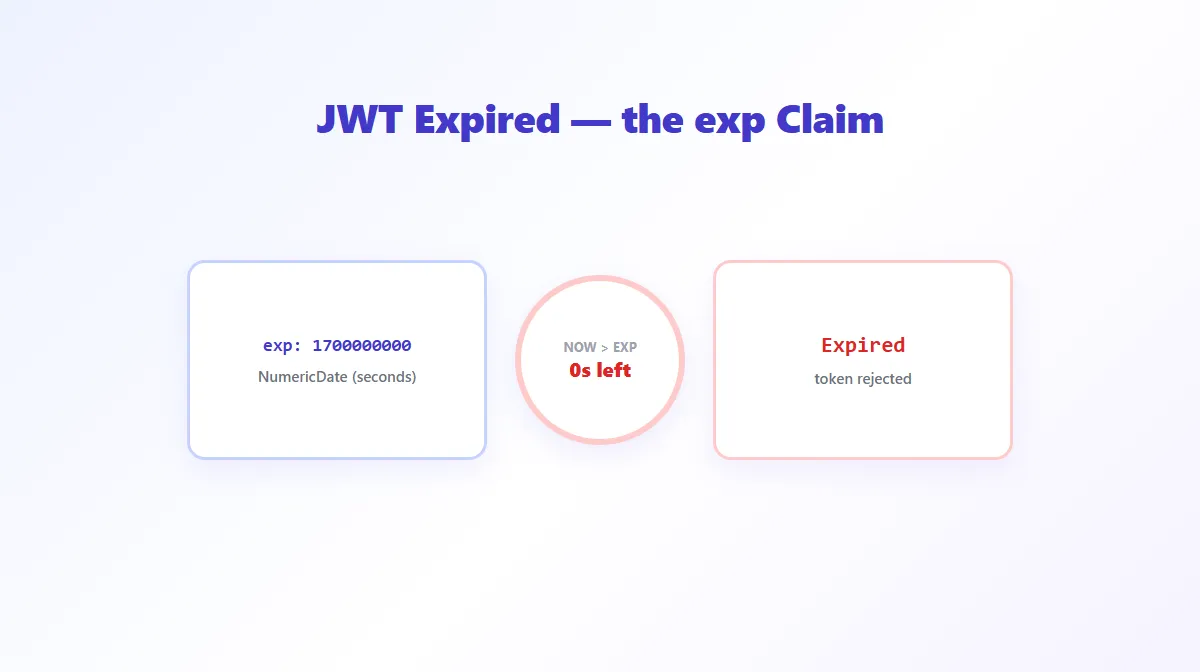
An error like "JWT expired" or "token expired" almost always traces back to one specific thing: the token's exp claim — a timestamp — is now in the past. It's a deliberate, working safety mechanism, not necessarily a bug, though there are several distinct reasons it shows up when you don't expect it.
What Does "JWT Expired" Mean?
Every JWT that includes an exp claim carries a built-in expiration time. Once the current time passes that value, any system correctly checking the token is supposed to reject it, no matter how valid its signature is. "JWT expired" is simply that check reporting: this token's window has closed.
What Is the JWT exp Claim?
exp (Expiration Time) is one of the registered claims defined in RFC 7519 — see What Is JWT? for the full list of registered claims and how the rest of a token's structure works. Its value is a NumericDate — the number of seconds since the Unix epoch (January 1, 1970 UTC), not milliseconds, and not a formatted date string. For example:
{ "exp": 1735689600 }
That value represents an exact moment in time. Passing a JavaScript Date.now() value directly into an exp claim without dividing by 1000 is a common bug, since Date.now() returns milliseconds — the resulting token would appear to expire roughly 1,000 times further in the future than intended, or, if done in reverse, would appear expired the instant it's issued.
How JWT Expiration Is Checked
Checking expiration is simple in principle: compare exp against the current Unix time.
is_expired = current_unix_time > payload.exp
Any properly implemented JWT library performs this check automatically as part of verification — it's not something a server has to remember to add separately, though a server that only decodes a token without running it through actual verification won't catch this on its own. For a quick manual check without writing any code, our JWT Decoder reads a token's exp claim, converts it to a readable date, and shows its expiration status directly.
How to Decode the exp Claim
Paste any JWT into the JWT Decoder and it will show you the exp value converted to a human-readable date and time, alongside a status indicator for whether that time has already passed. This is purely a decoding operation — reading the claim requires no secret key — so it works on any token regardless of who issued it. Keep in mind this only tells you what the token claims about its own expiration; it doesn't verify the token's signature, so it can't confirm the token (or its exp value) is genuine.
Common Causes of JWT Expiration Errors
- The token legitimately expired. The most common cause by far — enough time passed since it was issued.
- Clock skew. If the verifying server's system clock is ahead of the token issuer's, it can reject a token as expired slightly before its real expiration moment.
- A stale cached token. A client-side cache, browser storage, or a hardcoded test token from an earlier session getting reused well past its intended lifetime.
- Refresh-flow failure. If a refresh-token exchange fails silently, a client can keep sending an old, expired access token instead of a freshly issued one.
- Server/client time mismatch. Similar to clock skew, but specifically between the machine that issued the token and the machine consuming it, rather than between two verifying servers.
- Using a token from the wrong environment. A token issued by a staging environment's short-lived test configuration accidentally reused against production, or vice versa.
How to Fix an Expired JWT
- Obtain a fresh token. In almost every case, this means going through your application's normal authentication step again.
- Use the refresh-token flow, if your application implements one. This is the standard mechanism precisely for renewing an expired access token without a full re-login.
- Verify system clocks are synchronized (NTP) if you're seeing expiration errors on tokens that should still be valid — this points to clock skew rather than a genuinely expired token.
- Check your token-issuing configuration if tokens seem to expire far sooner or later than intended — this is often a units bug (seconds vs. milliseconds) or a misconfigured expiration duration setting, not an issue with the token format itself.
None of this involves editing a token's payload to push its exp further out — that only breaks the signature and gets the modified token rejected by anything that actually verifies it. A JWT's expiration is enforced by whoever checks it, not by anything editable client-side.
exp vs iat vs nbf
| Claim | Meaning | Direction |
|---|---|---|
iat | Issued At — when the token was created | A fixed point in the past, from the verifier's perspective |
nbf | Not Before — the token isn't valid until this time | A boundary in the future (or now) that hasn't been reached yet |
exp | Expiration Time — the token isn't valid after this time | A boundary in the future that eventually gets passed |
A token can be too early (now < nbf), too late (now > exp), or, most of the time, right in the valid window between the two.
Frequently Asked Questions
Does clock skew really cause JWT expiration errors?
Yes, and it's one of the more common non-obvious causes. If the server checking a token's exp claim has a clock that's running ahead, it can reject a token as expired seconds or minutes before its actual expiration time. Most JOSE/JWT libraries let you configure a small clock-skew tolerance (often a few seconds) specifically to absorb this.
Should I extend my token's expiration time to stop the errors?
Usually not as the primary fix. A long-lived access token stays dangerous for longer if it's ever leaked. The standard pattern is a short-lived access token paired with a refresh-token flow that issues a new access token automatically, rather than making any single token valid for a long time.
What's the difference between exp and nbf?
exp (Expiration Time) marks the moment after which a token must be rejected. nbf (Not Before) marks the moment before which a token must not be accepted yet. A token can be simultaneously "not yet valid" (now is before nbf) or "expired" (now is past exp), but never both at once.
Can I manually edit a JWT's exp claim to extend it?
You can edit the decoded payload, but doing so breaks the signature immediately — any system that actually verifies signatures will reject the modified token outright. This isn't a legitimate way to extend a session; the correct approach is requesting a new token through your application's normal login or refresh-token flow.
How long should an access token's expiration be?
There's no universal number, but 5-15 minutes is a common range for access tokens in systems that also implement refresh tokens, since a short window limits how long a leaked token remains useful. Refresh tokens are typically issued with much longer lifetimes (days to weeks), since they're used less often and can be revoked server-side.
Does an expired JWT mean my refresh token is also invalid?
No, not by default. Access tokens and refresh tokens are separate tokens with independent expiration times, specifically so an expired access token can be exchanged for a new one using a still-valid refresh token, without forcing the user to log in again.
Try Our Free SEO Tools
Put what you learned into action with our free SEO analysis tools.