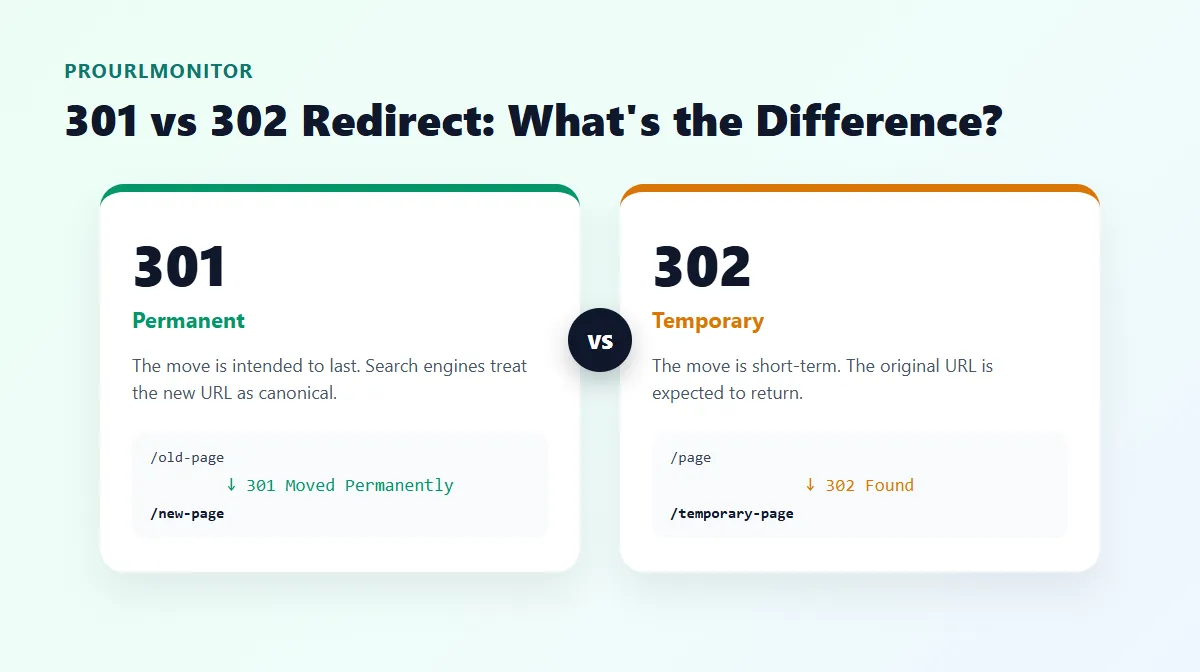
301 vs 302 Redirect: What's the Difference?
The short answer: a 301 redirect means a page has moved permanently, and a 302 redirect means it has moved temporarily. Browsers follow both the same way, but search engines treat them differently — a 301 tells Google the new URL should take over as canonical, while a 302 tells it the original URL is still the one that matters.
Getting this choice wrong is a common technical SEO mistake. Use a 302 for a change that's actually permanent, and the old URL can keep being treated as canonical for far longer than you intended. Use a 301 for something genuinely temporary, and you've told search engines to commit to a destination you're about to abandon.
This guide covers what each status code actually means, when to use which one, how search engines handle them, and how to check which redirect type a URL is returning right now.
301 vs 302 Redirect: Quick Comparison
| Feature | 301 Redirect | 302 Redirect |
|---|---|---|
| Full name | Moved Permanently | Found |
| Intended duration | Permanent | Temporary |
| Typical use | URL restructure, page consolidation, permanent migration | Campaign page, maintenance mode, short-term testing |
| Browser behavior | Follows automatically to the new URL | Follows automatically to the new URL |
| Search-engine interpretation | Signal that the destination should become canonical | Original URL generally stays treated as canonical |
| Method preservation | Not guaranteed (some clients convert POST to GET) | Not guaranteed (some clients convert POST to GET) |
| Strict alternative | 308 (guarantees method/body preserved) | 307 (guarantees method/body preserved) |
What Is a 301 Redirect?
A 301 redirect returns the HTTP status code 301 Moved Permanently. It tells whatever made the request — a browser, a crawler, another server — that the resource has permanently relocated to the URL in the response's Location header.
Browsers follow a 301 automatically and load the new URL; a visitor typically never notices the hop happened. For search engines, a 301 is a stronger signal: it tells the crawler that the original URL is no longer the one to index, and that the new URL should be treated as the canonical version going forward.
A typical example:
http://example.com/old-product
  ↓ 301 Moved Permanently
https://example.com/new-product
This is a fictional example for illustration, not a live measurement.
When Should You Use a 301 Redirect?
Use a 301 whenever the change is intended to be permanent:
- A page's URL has permanently changed — you renamed or restructured a URL and have no plan to revert it.
- You've permanently consolidated duplicate URLs — two pages covering the same topic are merged into one, and the losing URL should point to the survivor from now on.
- An HTTP → HTTPS migration where HTTPS is permanent — once you've moved to HTTPS for good, every HTTP URL should 301 to its HTTPS equivalent.
- An old page has been permanently replaced by a more relevant page — the old content is gone and a specific, closely related page now serves that purpose.
- A domain or site migration, when the move to the new domain is final.
A 301 is a promise that the old URL isn't coming back. Don't reach for it just to look tidy — redirecting an unrelated deleted page to your homepage "to preserve SEO value" isn't a real substitute for a relevant destination, and can create a confusing or unhelpful redirect for both users and crawlers.
What Is a 302 Redirect?
A 302 redirect returns the HTTP status code 302 Found. It signals that the resource is currently available at a different URL, but only temporarily — the original URL is expected to serve the resource again later.
Browsers follow a 302 exactly the way they follow a 301: automatically, with no visible interruption for the user. The difference is entirely in the signal it sends about intent, which matters most to search engines and to anyone maintaining the redirect long-term.
When Should You Use a 302 Redirect?
Use a 302 when the move is genuinely short-lived:
- A temporary campaign destination — a seasonal or promotional landing page that will be retired once the campaign ends.
- A temporary maintenance or routing scenario — sending visitors to a status page or an alternate location while the original is being worked on.
- A temporary content relocation — content that's been moved somewhere else for a limited time, with a clear plan to move it back.
- Short-term testing, where a temporary redirect is technically appropriate for the duration of the test. If you're running a client-side or platform-based A/B test rather than a server redirect, check that platform's own current guidance rather than assuming a 302 is the right mechanism — the two aren't always interchangeable.
If a "temporary" 302 has been live for a year with no plan to reverse it, that's a sign the underlying change has become permanent and the redirect should be updated to a 301.
301 vs 302 for SEO: What Actually Matters?
The core SEO question isn't "which redirect passes more ranking power" — it's which URL should search engines treat as canonical, and for how long.
According to Google's own documentation on redirects and Search, Googlebot follows both permanent and temporary redirects, but the indexing pipeline uses them differently:
- For a 301 (or 308), Google states that its indexing pipeline "uses the redirect as a signal that the redirect target should be canonical."
- For a 302 (or 303, 307), Google states that its indexing pipeline "doesn't use the redirect as a signal that the redirect target should be canonical" — meaning the original URL can keep being treated as the canonical one.
That's the accurate, current version of "302s don't pass SEO value the way 301s do." It isn't that a 302 destroys ranking power — it's that Google deliberately avoids committing to the new URL as canonical when your own redirect is telling it the move might not be permanent. If you use a 302 for a change that's actually permanent, you may be delaying the point at which the new URL gets treated as canonical, simply because your redirect type is telling search engines to wait.
A few things that matter more than the status code alone:
- Relevance of the destination matters as much as the status code — redirecting to a page that doesn't actually match the old content's intent is a weak signal regardless of whether it's a 301 or 302.
- Consistency matters — if a URL sometimes redirects with a 301 and other times a 302 (common with misconfigured HTTP/HTTPS or www/non-www rules), that inconsistency undermines the canonical signal you're trying to send.
- Redirect chains — hopping through several intermediate URLs before reaching the final destination — add unnecessary latency and complexity. Keep redirects as close to a single hop as you reasonably can; this deserves its own deeper treatment, so we'll cover redirect chains in more detail in a future guide.
301 vs 302 Examples
| Scenario | Better Choice | Why |
|---|---|---|
example.com/old-page permanently renamed to example.com/new-page | 301 | The old URL is never coming back. |
example.com/summer-sale — a seasonal landing page live for one month | 302 | The redirect will be removed once the sale ends. |
http://example.com permanently migrated to https://example.com | 301 | HTTPS is the final, permanent version of the site. |
example.com/blog/post briefly rerouted to example.com/maintenance during an update | 302 | The original page returns once maintenance is finished. |
oldbrand.com permanently migrated to newbrand.com | 301 (where technically appropriate for the migration) | The domain change is final. |
All URLs above are fictional and used only to illustrate the scenario.
How to Check Whether a URL Uses a 301 or 302 Redirect
You don't have to guess which redirect type a URL is returning — you can check it directly. ProURLMonitor's Redirect Checker follows a URL's full redirect chain and reports the HTTP status code, destination, and any protocol change for every hop along the way.
A simple workflow:
- Open the Redirect Checker.
- Enter the URL you want to check.
- Run the check.
- Inspect the status code returned at each redirect hop — you'll see whether it's a 301, 302, or another code entirely.
- Confirm the final destination is the URL you actually intend visitors and search engines to land on.
This is especially useful after a migration or a bulk redirect rule change, when it's easy for a server configuration to quietly apply the wrong status code — or a mix of both — across different URL patterns.
What About 307 and 308 Redirects?
301 and 302 are the two you'll use most often, but they share a real limitation: neither one strictly guarantees that the original request method and body survive the redirect. In practice, clients have historically converted a POST request into a GET request when following either a 301 or a 302.
307 and 308 exist specifically to close that gap:
| Code | Permanence | Method/body preserved? |
|---|---|---|
| 301 | Permanent | Not guaranteed — some clients convert POST to GET |
| 302 | Temporary | Not guaranteed — some clients convert POST to GET |
| 307 | Temporary | Guaranteed preserved |
| 308 | Permanent | Guaranteed preserved |
In practice, reach for 307 or 308 when a non-GET request — most commonly a form submission — needs to keep its exact method and body through the redirect. For ordinary page-to-page redirects, 301 and 302 remain the standard choice, and that's the distinction this guide focuses on. If a URL keeps cycling instead of reaching its destination, that's a separate issue — see the Too Many Redirects troubleshooting guide for how to diagnose a redirect loop.
Common 301 and 302 Redirect Mistakes
- Using a temporary (302) redirect for a permanent migration. This is the single most common mix-up, and it can leave the old URL treated as canonical long after it should have been retired.
- Using a permanent (301) redirect for a genuinely temporary change. If the original page is coming back, a 301 tells search engines to commit to the destination anyway.
- Redirecting to an irrelevant destination, such as sending every deleted page to the homepage instead of the closest relevant replacement.
- Creating unnecessary redirect chains instead of pointing directly to the final URL.
- Leaving old "temporary" redirects in place indefinitely without ever revisiting whether the situation is still temporary.
- Inconsistent HTTP/HTTPS or www/non-www redirect rules, where some paths return a 301 and others return a 302 for what should be the same kind of change.
How to Choose Between 301 and 302
A simple decision framework:
Is the move intended to be permanent?
- Yes → use a 301 (or 308 if the request method must be preserved).
- No → use a 302 (or 307 if the request method must be preserved).
The one exception worth remembering: if a non-GET request — a form submission, an API call — needs to keep its exact method and body through the redirect, use 308 in place of 301, or 307 in place of 302, rather than relying on 301/302's inconsistent method handling.
Frequently Asked Questions
What is the difference between a 301 and 302 redirect?
A 301 redirect (Moved Permanently) tells browsers and search engines that a URL has moved for good, and that the new URL should be treated as the canonical one going forward. A 302 redirect (Found) signals a temporary move — the original URL is expected to return, so search engines generally keep treating the original as canonical rather than switching to the destination.
Should I use a 301 or 302 redirect?
Use a 301 if the change is intended to be permanent — a URL restructure, a merged page, or a finished domain migration. Use a 302 if the change is genuinely temporary, such as a short-term campaign page or a maintenance redirect you plan to remove. The deciding question is simple: is the old URL coming back?
Is a 301 redirect better for SEO than a 302?
Neither is "better" in isolation — they send different signals. Google's own documentation states that for a 301 or 308, its indexing pipeline uses the redirect as a signal that the destination should be canonical; for a 302, 303, or 307, it does not treat the redirect that way. Using a 302 for a permanent change can leave the old URL treated as canonical for longer than intended, which is the mistake people mean when they call 302s "worse for SEO."
When should I use a 302 redirect?
Use a 302 when the destination is temporary and you plan to reverse the redirect later: a limited-time campaign landing page, a maintenance page shown while the original is offline, or a short-term A/B test variant. If you find yourself leaving a "temporary" 302 in place for months with no plan to remove it, that is usually a sign it should be a 301 instead.
Can I change a 302 redirect to a 301 later?
Yes. If a redirect you set up as temporary turns out to be permanent, update the server configuration to return a 301 (or 308) instead. There is no technical barrier to switching status codes — search engines will simply start re-evaluating the redirect under the new signal on their next crawl.
How can I check if a URL is returning a 301 or 302?
Use a redirect checker to request the URL and inspect the HTTP status code returned at each hop. ProURLMonitor's Redirect Checker follows a URL's full redirect chain and shows the status code, destination, and any protocol change for every hop, so you can confirm exactly which redirect type is in use.
What is the difference between 301, 302, 307, and 308 redirects?
301 and 302 are the classic permanent and temporary redirects, but neither strictly guarantees the request method is preserved — clients have historically converted a POST to a GET when following either one. 307 and 308 were introduced to fix that: 307 is a temporary redirect that preserves the request method, and 308 is a permanent redirect that preserves the request method. Use 307/308 specifically when a non-GET request (like a form POST) must keep its method and body through the redirect.
Try Our Free SEO Tools
Put what you learned into action with our free SEO analysis tools.