How to Convert Decimal to Binary: Steps, Method & Examples
Converting decimal to binary means changing a base-10 number into its base-2 equivalent — the same value, written with only 0s and 1s. The standard manual method is repeated division by 2: divide the number by 2, write down the remainder, divide the new quotient by 2 again, and keep going until the quotient reaches 0. Reading those remainders from bottom to top gives the binary result. A second method, based on powers of two, works by breaking the decimal number into a sum of powers of 2 instead of dividing.
This guide walks through both methods with verified worked examples, a full conversion table, and the mistakes that most often trip people up.
What Does Decimal to Binary Mean?
Decimal and binary are both positional number systems — ways of writing the same quantities using place values. They just use a different base:
- Decimal (base 10) uses ten digits, 0 through 9. Each position is worth a power of 10 (1, 10, 100, 1000…).
- Binary (base 2) uses only two digits, 0 and 1. Each position is worth a power of 2 (1, 2, 4, 8, 16…).
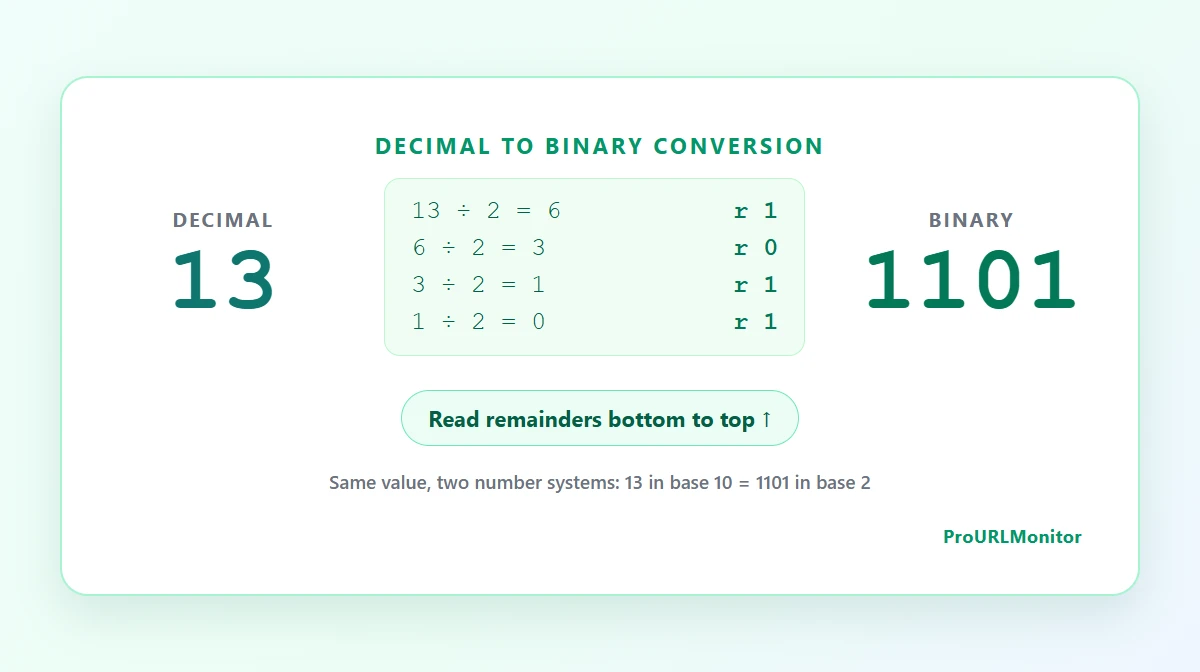
Converting decimal to binary doesn't change the value — it changes the notation. Decimal 13 and binary 1101 are the exact same quantity, just expressed with a different set of digits and place values.
How to Convert Decimal to Binary
The repeated-division method turns a decimal number into binary one bit at a time:
- Divide the decimal number by 2.
- Record the remainder — it will always be 0 or 1.
- Divide the resulting quotient by 2 again.
- Repeat steps 2–3 until the quotient reaches 0.
- Read the recorded remainders from bottom to top (last remainder first). That sequence is the binary result.
The reason this works comes down to place value. The very first division tests whether the number is odd or even — in other words, whether it contains a 2⁰ (the "ones" place in binary). The remainder from that step is exactly the bit that belongs in the 2⁰ position. The next division tests the 2¹ position, the one after that tests 2², and so on. Because each division answers for a larger place value than the one before it, the last remainder produced corresponds to the largest bit in the number — which needs to go on the left. Reading remainders from bottom to top simply puts the largest place value first, exactly the way binary numbers are normally written.
Decimal to Binary Example Step by Step
Here's the method applied to decimal 25:
| Division | Quotient | Remainder |
|---|---|---|
| 25 ÷ 2 | 12 | 1 |
| 12 ÷ 2 | 6 | 0 |
| 6 ÷ 2 | 3 | 0 |
| 3 ÷ 2 | 1 | 1 |
| 1 ÷ 2 | 0 | 1 |
The quotient reaches 0, so the division stops. Reading the remainder column from bottom to top: 1, 1, 0, 0, 1 — which gives 11001.
25 in decimal = 11001 in binary.
Decimal to Binary Formula / Method
There isn't a single algebraic "formula" that spits out a binary string the way there is for, say, converting Celsius to Fahrenheit. What decimal-to-binary conversion actually relies on is an algorithmic method: repeated division by the target base (2, in this case), which is the standard way to convert an integer from one base to another by hand or in code.
The mathematical relationship underneath that algorithm is positional notation. Any whole number can be written as a sum of powers of the base it's expressed in. In binary, that means:
value = (bit₀ × 2⁰) + (bit₁ × 2¹) + (bit₂ × 2²) + ...
Repeated division finds each bit by working from the smallest power up. The powers-of-two method below finds the same bits by working from the largest power down — same underlying math, opposite direction.
Convert Decimal to Binary Using Powers of Two
Instead of dividing, this method breaks the decimal number down into powers of 2 that add up to it:
- Find the largest power of 2 that is less than or equal to the number.
- Subtract it, and mark that power's position with a 1.
- Repeat with the remainder until it reaches 0.
- Any power of 2 that wasn't used gets a 0 in that position.
Example: convert 13 to binary
The largest power of 2 not exceeding 13 is 8 (2³). Subtracting leaves 5. The largest power of 2 not exceeding 5 is 4 (2²), leaving 1. The largest power of 2 not exceeding 1 is 1 (2⁰), leaving 0.
13 = 8 + 4 + 1
   = 2³ + 2² + 2⁰
Writing a 1 in the 2³, 2², and 2⁰ positions, and a 0 everywhere else (2¹), gives 1101.
13 in decimal = 1101 in binary.
Powers of two tend to be faster for numbers you can decompose in your head — round numbers, or values close to a familiar power like 16, 32, or 64. Repeated division is more mechanical and scales better for large or awkward numbers, since it doesn't require spotting the right powers by inspection. Neither method is universally better; they're two paths to the same answer.
More Decimal to Binary Examples
10 (small number)
10 ÷ 2 = 5 remainder 0
 5 ÷ 2 = 2 remainder 1
 2 ÷ 2 = 1 remainder 0
 1 ÷ 2 = 0 remainder 1
Bottom to top: 1010. 10 = 1010₂
42 (internal zero bits)
42 ÷ 2 = 21 remainder 0
21 ÷ 2 = 10 remainder 1
10 ÷ 2 =  5 remainder 0
 5 ÷ 2 =  2 remainder 1
 2 ÷ 2 =  1 remainder 0
 1 ÷ 2 =  0 remainder 1
Bottom to top: 101010. 42 = 101010₂ — notice the alternating 0s; skipping any one of them would change the value entirely.
100 (larger number)
100 ÷ 2 = 50 remainder 0
 50 ÷ 2 = 25 remainder 0
 25 ÷ 2 = 12 remainder 1
 12 ÷ 2 =  6 remainder 0
  6 ÷ 2 =  3 remainder 0
  3 ÷ 2 =  1 remainder 1
  1 ÷ 2 =  0 remainder 1
Bottom to top: 1100100. 100 = 1100100₂
128 (a power of 2) Powers of 2 convert to a single 1 followed by zeros: 128 = 2⁷, so it's a 1 in the 2⁷ position and 0 everywhere else. 128 = 10000000₂
127 (immediately below a power of 2) One less than a power of 2 always converts to a run of 1s: 127 = 128 − 1, so the binary form is one fewer bit than 128's, filled entirely with 1s. 127 = 1111111₂
255 Following the same pattern one step further: 255 = 256 − 1 = 2⁸ − 1. 255 = 11111111₂
Decimal to Binary Conversion Table
A quick reference for decimal 0 through 20:
| Decimal | Binary |
|---|---|
| 0 | 0 |
| 1 | 1 |
| 2 | 10 |
| 3 | 11 |
| 4 | 100 |
| 5 | 101 |
| 6 | 110 |
| 7 | 111 |
| 8 | 1000 |
| 9 | 1001 |
| 10 | 1010 |
| 11 | 1011 |
| 12 | 1100 |
| 13 | 1101 |
| 14 | 1110 |
| 15 | 1111 |
| 16 | 10000 |
| 17 | 10001 |
| 18 | 10010 |
| 19 | 10011 |
| 20 | 10100 |
Zero is a special case worth calling out: there's nothing to divide, so 0 in decimal stays 0 in binary rather than going through the division steps.
Base 10 to Binary
"Base 10" and "decimal" describe the exact same number system — the one built around ten digits (0–9) that almost everyone learns first. "Converting base 10 to binary" and "converting decimal to binary" are two names for the identical process described throughout this guide: divide repeatedly by 2 (or decompose into powers of 2) to move a number from a ten-digit system into a two-digit one.
The terminology shows up interchangeably because "decimal" emphasizes the base-10 digit set, while "base 10" emphasizes the numbering scheme itself — but there's no difference in the math. In British and some Commonwealth curricula, decimal is also called denary — "denary to binary" is the same conversion under a different name.
A Note on Decimal Fractions
Everything above covers whole numbers. Converting a decimal fraction (like 10.5) to binary uses a different technique for the part after the decimal point: instead of dividing the fractional part by 2, you repeatedly multiply it by 2 and record whether the result crosses 1 or not at each step. The integer part of the number still converts with the division method shown above. Fractional conversion is a separate topic with its own rules for termination and precision, and it's outside the scope of this guide, which focuses on converting whole decimal numbers.
Common Decimal-to-Binary Mistakes
- Reading remainders top to bottom instead of bottom to top. This reverses the entire result — for 13, reading top to bottom would incorrectly give 1011 instead of 1101.
- Forgetting to record a zero remainder. Every division step produces a remainder, including the ones that come out to 0. Skipping a 0 removes a digit and shifts every bit after it.
- Stopping the division too early. The process only ends when the quotient reaches 0, not when it "looks small." Stopping at quotient 1 without recording that final division drops the leading bit.
- Confusing the quotient with the remainder. The quotient is what continues into the next division; the remainder is what gets recorded for the binary digit. Mixing them up produces a binary string with the wrong digits entirely.
- Confusing decimal-to-binary with binary-to-decimal. These are inverse operations that use different mechanics — one divides a decimal number by 2 and collects remainders, the other multiplies binary digits by powers of 2 and sums them. See how to convert binary to decimal for the reverse process.
- Arithmetic slips in long division chains. Longer numbers mean more division steps, and a single wrong quotient partway through throws off every remainder after it. Double-checking each step, or verifying the final answer, catches this quickly.
- Dropping interior zero bits by accident. A binary result like 101010 has meaningful zeros in the middle — they're not placeholders that can be removed the way a leading zero can.
How to Check Your Answer
The most reliable way to build confidence with this method is to work a conversion out by hand first, then confirm it. The Decimal to Binary Converter uses exact integer math (via BigInt, so even very large numbers stay precise) and shows the same division-by-2 breakdown used in this guide, making it a fast way to catch a dropped remainder or a stopped-too-early conversion.
Reversing the check is useful too: convert your binary result back to decimal using place values, or with the Binary to Decimal Converter, and confirm it matches the number you started with.
Decimal to Binary FAQ
How do you convert decimal to binary?
Divide the decimal number by 2 and record the remainder, then divide the resulting quotient by 2 again and record that remainder too. Repeat until the quotient reaches 0, then read the remainders from bottom to top — that sequence of 0s and 1s is the binary equivalent.
Why do you divide by 2 when converting decimal to binary?
Binary is base 2, so each digit position is worth a power of 2 instead of a power of 10. Dividing by 2 repeatedly strips off one binary digit at a time: the remainder at each step is exactly the bit (0 or 1) that belongs in that position.
Why are binary remainders read from bottom to top?
The first division produces the remainder for the smallest place value (2⁰), and each division after that produces the remainder for the next larger place value. Since the largest place value is found last, reading the remainders from the last one calculated back to the first puts them in the correct order, from most significant bit to least significant bit.
Is base 10 the same as decimal?
Yes. "Decimal" and "base 10" both refer to the everyday number system that uses ten digits, 0 through 9. The terms are interchangeable — "base 10 to binary" and "decimal to binary" describe the identical conversion.
What is 10 in binary?
Decimal 10 is 1010 in binary. Dividing 10 by 2 repeatedly gives remainders 0, 1, 0, 1 (in that order), and reading them from bottom to top gives 1010.
What is 100 in binary?
Decimal 100 is 1100100 in binary. It can also be checked with powers of two: 100 = 64 + 32 + 4 = 2⁶ + 2⁵ + 2², which lines up with the 1s in 1100100.
How can I check a decimal-to-binary conversion?
Work the conversion by hand first, then verify it with the Decimal to Binary Converter, which uses exact integer math. You can also reverse-check by converting your binary result back to decimal — using place values or the Binary to Decimal Converter — and confirming it matches the original number.
Try Our Free SEO Tools
Put what you learned into action with our free SEO analysis tools.