How to Convert Hex to Decimal: Formula, Steps & Examples
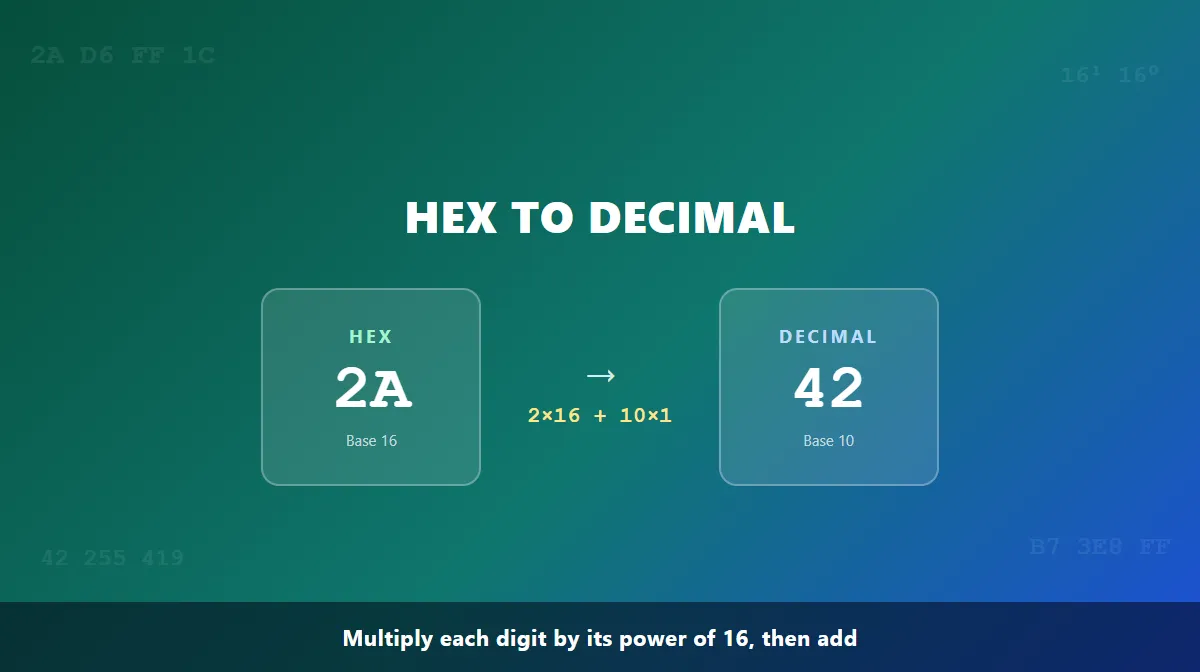
To convert hex to decimal, multiply each hexadecimal digit by 16 raised to its position (counting from 0 on the right), then add the results together. For example, hex 2A converts to decimal 42: (2 × 16) + (10 × 1) = 32 + 10 = 42. This guide walks through the formula behind that math, a repeatable step-by-step process, and several verified examples of increasing difficulty.
What Is Hexadecimal?
Hexadecimal is a base-16 number system. Where decimal has ten digit symbols (0-9), hexadecimal needs sixteen, so once it runs out of numerals after 9, it borrows six letters — A through F — to represent the remaining values:
| Hex | Decimal |
|---|---|
| 0-9 | 0-9 |
| A | 10 |
| B | 11 |
| C | 12 |
| D | 13 |
| E | 14 |
| F | 15 |
Those letters aren't arbitrary — hexadecimal simply needs a symbol for every value from 0 up to 15 before it rolls over to a new digit position, the same way decimal rolls over from 9 to 10.
What Is Decimal?
Decimal is the base-10 number system most people learn first — the one built into everyday counting, using the ten digits 0-9. Each position in a decimal number represents a power of 10 (1, 10, 100, 1000...), which is why decimal and hexadecimal look so different: decimal has ten symbols and powers of 10 per position, while hexadecimal has sixteen symbols and powers of 16. Converting hex to decimal means re-expressing the same quantity using base 10's rules instead of base 16's.
Hexadecimal to Decimal Formula
Hexadecimal is a positional number system, meaning each digit's value depends on where it sits in the number, not just what symbol it is. For a hex number with digits dₙ through d₀ (read left to right), the decimal value is:
dₙ × 16ⁿ + ... + d₂ × 16² + d₁ × 16¹ + d₀ × 16⁰
In plain terms: the rightmost digit is worth its face value (16⁰ = 1), the next digit left is worth 16 times its face value (16¹ = 16), the one after that is worth 256 times its face value (16² = 256), and so on. Multiply each digit by its place value and add everything up.
How to Convert Hex to Decimal Step by Step
- Write the hexadecimal digits, left to right.
- Convert any letters to their decimal values — A=10, B=11, C=12, D=13, E=14, F=15. Digits 0-9 stay the same.
- Assign powers of 16 from right to left, starting at 16⁰ for the rightmost digit.
- Multiply each digit by its place value.
- Add the results together to get the decimal number.
This process works for a hex number of any length — only the number of place values changes.
Hex to Decimal Examples
Here are several worked examples, each checked digit by digit.
Example 1: Hex 2A
Digit:     2    A
Position:  1    0
Value:    16    1

2 × 16 = 32
A × 1  = 10 × 1 = 10

32 + 10 = 42

2A₁₆ = 42₁₀
Example 2: Hex FF
Digit:     F    F
Position:  1    0
Value:    16    1

F × 16 = 15 × 16 = 240
F × 1  = 15 × 1  = 15

240 + 15 = 255

FF₁₆ = 255₁₀
Example 3: Hex B7
This example uses a letter other than A, to confirm the B-F values work the same way:
Digit:     B    7
Position:  1    0
Value:    16    1

B × 16 = 11 × 16 = 176
7 × 1  = 7 × 1   = 7

176 + 7 = 183

B7₁₆ = 183₁₀
Example 4: Hex 1A3
A three-digit example brings in the 16² place value:
Digit:      1     A     3
Position:   2     1     0
Value:    256    16     1

1 × 256 = 256
A × 16  = 10 × 16 = 160
3 × 1   = 3

256 + 160 + 3 = 419

1A3₁₆ = 419₁₀
Example 5: Hex 3E8
Digit:      3     E     8
Position:   2     1     0
Value:    256    16     1

3 × 256 = 768
E × 16  = 14 × 16 = 224
8 × 1   = 8

768 + 224 + 8 = 1000

3E8₁₆ = 1000₁₀
That last one is worth remembering: 0x3E8 shows up often in programming and networking wherever the number 1000 is written in hex, such as millisecond timeouts.
| Hexadecimal | Decimal |
|---|---|
| 2A | 42 |
| FF | 255 |
| B7 | 183 |
| 1A3 | 419 |
| 3E8 | 1000 |
If you want to check your own calculation, use the Hex to Decimal Converter — it shows the same digit-by-digit breakdown for any hex value you enter.
How to Convert Hexadecimal to Base 10
"Base 10" is just another name for decimal, so converting hexadecimal to base 10 is the exact same process described above — there's no separate method. Take hex 1F as a quick example: 1 × 16 = 16, plus F × 1 = 15, giving 16 + 15 = 31. Whether the target is called "decimal" or "base 10," the formula and the answer don't change.
Why Is Hexadecimal Used?
Hexadecimal shows up constantly in computing because it's a compact, human-friendly way to write binary data. Since 16 is a power of 2 (2⁴), every hex digit maps cleanly to exactly four binary bits, so a long binary string can be written in a quarter as many characters. See binary vs hexadecimal for more on that relationship, or how to convert hex to binary for the full 4-bit mapping method. Common places hex turns up include:
- Programming: Languages like JavaScript, Python, and C mark hex literals with a
0xprefix —0xFFis the same value as decimal 255. - Memory addresses and debugging: Debuggers and system tools display memory addresses and byte dumps in hex because it's far shorter than binary and less error-prone to read than long decimal numbers.
- Web colors: CSS color codes like
#FF5733are three hex byte pairs for red, green, and blue. Converting each pair gives the decimal RGB values — try the Hex to RGB Converter to see this in action. - Networking: MAC addresses and IPv6 segments are written in hexadecimal.
Common Hex-to-Decimal Conversion Mistakes
- Treating A-F as ordinary letters. They're digit symbols standing in for 10 through 15, not characters to ignore or skip.
- Starting the power count at 1 instead of 0. The rightmost digit's place value is 16⁰ (which is 1), not 16¹.
- Using powers of 10 instead of powers of 16. This is the single most common slip — hexadecimal place values are 1, 16, 256, 4096, not 1, 10, 100, 1000.
- Reversing the place values. The leftmost digit carries the largest place value, not the smallest — mixing up the order changes the result completely.
- Forgetting to drop the 0x prefix.
0xmarks a hex literal in code but isn't part of the number itself; converting "0xFF" as if 0, x, F, and F were all digits produces a wrong result. - Arithmetic slips on longer numbers. The more digits involved, the easier it is to mis-multiply or mis-add one term — double-check each line before summing.
Convert Hex to Decimal Automatically
Manual conversion is worth knowing, but for longer hex values or when accuracy matters, the Hex to Decimal Converter does the same positional-notation math instantly and shows the full digit-by-digit breakdown, so you can compare it against your own working. Going the other way? See how to convert decimal to hex for that method.
Once converting between the two systems feels natural, the next skill is doing arithmetic directly in hex — see Hex Addition for the carrying rules, a full addition table, and worked examples.
Frequently Asked Questions
How do you convert hex to decimal? Multiply each hexadecimal digit by 16 raised to its position, counting positions from 0 at the rightmost digit, then add the results. For example, 2A = (2 × 16¹) + (10 × 16⁰) = 32 + 10 = 42, since the hex digit A stands for decimal 10.
What is the hexadecimal to decimal formula? For a hex number with digits dₙ...d₁d₀, the decimal value is dₙ×16ⁿ + ... + d₁×16¹ + d₀×16⁰. Each digit is multiplied by the power of 16 matching its position, and those products are summed to get the decimal result.
What does A-F mean in hexadecimal? Hexadecimal is base 16, so it needs sixteen symbols per digit position. After 0-9 run out, the letters A-F fill in decimal values 10-15: A=10, B=11, C=12, D=13, E=14, F=15.
Is hexadecimal the same as base 16? Yes. Hexadecimal and base 16 refer to the same number system — one that uses sixteen digit symbols (0-9 and A-F) and place values that are powers of 16, the same way decimal (base 10) uses powers of 10.
How do you convert hex to base 10? The same way you convert hex to decimal — decimal is base 10, so "hex to base 10" and "hex to decimal" describe the identical conversion. Multiply each digit by its power-of-16 place value and add the results.
What is 0x in a hexadecimal number? 0x is a prefix many programming languages use to mark a literal as hexadecimal rather than decimal, so 0xFF and FF represent the same value. The 0x itself isn't part of the number — drop it before converting the remaining digits.
Can I convert hexadecimal to decimal without a calculator? Yes. Because hex place values are fixed powers of 16 (1, 16, 256, 4096...), you can convert by hand with basic multiplication and addition — the step-by-step method on this page walks through exactly that process.
Try Our Free SEO Tools
Put what you learned into action with our free SEO analysis tools.