Binary vs Hexadecimal: What's the Difference and Why Is Hex Used?
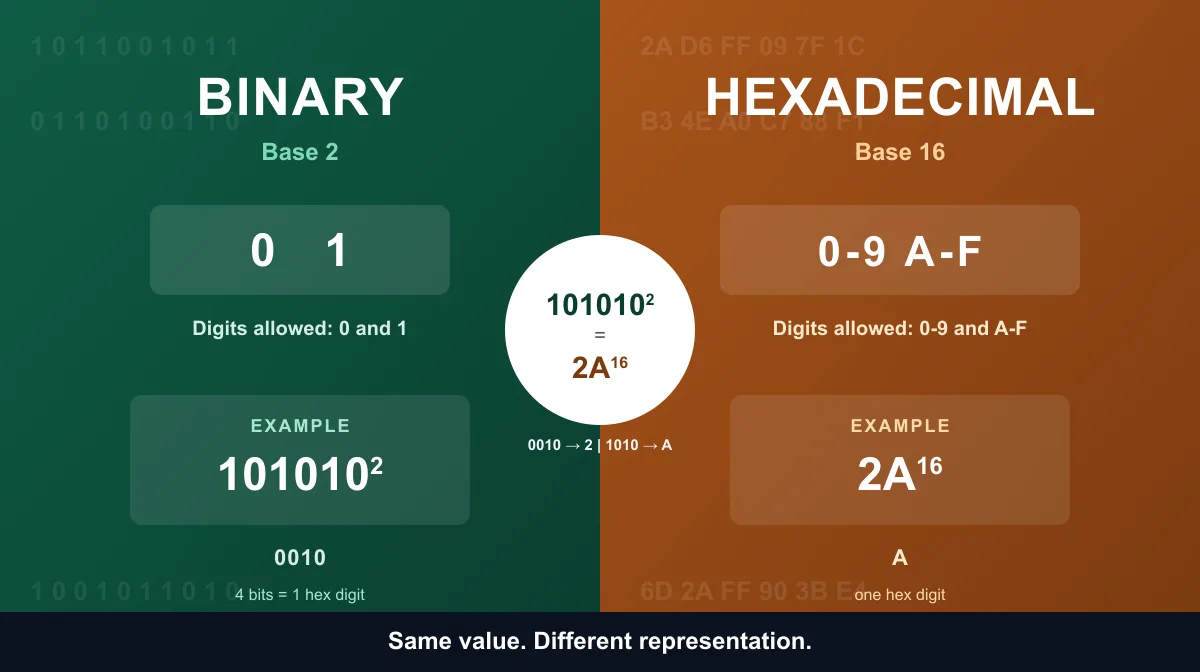
Binary and hexadecimal are both positional number systems that can represent the exact same values — they just use a different base. Binary is base 2 and uses only 0 and 1. Hexadecimal is base 16 and uses 0-9 plus the letters A-F. Because 16 is a power of 2 (2⁴), every single hexadecimal digit maps to exactly four binary bits, which is why hex shows up constantly wherever people need to read or write binary data without staring at long strings of 0s and 1s.
Binary vs Hexadecimal: Quick Comparison
| Feature | Binary | Hexadecimal |
|---|---|---|
| Base | 2 | 16 |
| Allowed digits | 0, 1 | 0-9, A-F |
| Place values | Powers of 2 (1, 2, 4, 8, 16…) | Powers of 16 (1, 16, 256, 4096…) |
| Bits represented per digit | 1 bit | 4 bits |
| Example (same value) | 101010₂ | 2A₁₆ |
| Decimal equivalent | 42 | 42 |
| Typical notation | Trailing subscript 2, or a 0b prefix in code | Trailing subscript 16, or a 0x prefix in code |
| Human readability | Long strings, harder to scan | Short, easier to read and type |
| Relationship to hardware | Matches the two-state logic of digital circuits | A notation for display and debugging, not a hardware format |
What Is Binary?
Binary is a base-2 number system: every digit, called a bit, is either 0 or 1, and each position represents a power of 2 rather than a power of 10. Counting positions from the right starting at 0, the place values are 1, 2, 4, 8, and so on.
Example: 1010₂
Bit:      1    0    1    0
Position: 2³   2²   2¹   2⁰
Value:    8    4    2    1

(1 × 8) + (0 × 4) + (1 × 2) + (0 × 1) = 10

1010₂ = 10₁₀
Binary matters because it matches the two-state logic — low voltage or high voltage — that digital circuits are built around. For a deeper look at why that's the case, see why computers use binary, or try the Binary Converter for hands-on conversions.
What Is Hexadecimal?
Hexadecimal is a base-16 number system. Because it needs 16 distinct symbols per position, it borrows the ten decimal digits and adds six letters:
0 1 2 3 4 5 6 7 8 9 A B C D E F
Where A through F stand in for the decimal values 10 through 15:
| Letter | A | B | C | D | E | F |
|---|---|---|---|---|---|---|
| Value | 10 | 11 | 12 | 13 | 14 | 15 |
Each position in a hexadecimal number represents a power of 16 — 1, 16, 256, 4096, and so on.
Example: 2A₁₆
Digit:    2     A
Position: 16¹   16⁰
Value:    16    1

(2 × 16) + (10 × 1) = 42

2A₁₆ = 42₁₀
For interactive conversions between hex and other bases, see the Hex Converter, or read how to convert hex to decimal and how to convert decimal to hex for the full manual methods in each direction.
What Is the Difference Between Binary and Hexadecimal?
The base itself explains most of the practical differences:
- Symbols available. Binary has 2 symbols per position; hexadecimal has 16. That's the entire reason hex numbers are so much shorter.
- Digits needed per value. Because each hex position carries far more weight, the same value takes roughly a quarter as many digits in hex as it does in binary.
- Readability. A long binary string like
1101011010110110is easy to mistype or miscount. Its hex equivalent,D6B6, is short enough to read and write reliably. - Direct hardware relationship. Binary matches how digital circuits distinguish two electrical states. Hexadecimal has no equivalent hardware role — it's a notation layered on top of binary for human convenience.
- Typical audience. Binary shows up when reasoning about individual bits — flags, masks, digital logic. Hexadecimal shows up when displaying or discussing bytes and larger values compactly.
Hexadecimal does not carry more information than binary for the same value — it's a different way of writing the identical quantity, not a denser one.
Same Value, Different Representation
This is the core idea behind the whole comparison: binary and hexadecimal numbers aren't different quantities — they're different notations for the same quantity.
42₁₀ = 101010₂ = 2A₁₆
Forty-two is forty-two, whether it's written as six binary digits or two hex digits. The value never changes; only the notation used to write it down does.
How Are Binary and Hexadecimal Related?
Hexadecimal is related to binary through one simple fact: 16 = 2⁴. Because 16 is an exact power of 2, every possible 4-bit binary pattern maps to exactly one hexadecimal digit, with nothing left over on either side.
| Binary | Hex | Binary | Hex |
|---|---|---|---|
| 0000 | 0 | 1000 | 8 |
| 0001 | 1 | 1001 | 9 |
| 0010 | 2 | 1010 | A |
| 0011 | 3 | 1011 | B |
| 0100 | 4 | 1100 | C |
| 0101 | 5 | 1101 | D |
| 0110 | 6 | 1110 | E |
| 0111 | 7 | 1111 | F |
This table is the entire relationship between the two systems. Any binary number, no matter how long, can be converted to hex by grouping its bits into sets of four and looking up each group here — and vice versa.
Why Is Hexadecimal Used Instead of Binary?
This is usually phrased in a way that's slightly misleading. Hexadecimal isn't used "instead of" binary at the hardware level — digital circuits still store and process encoded bit patterns, nothing more. What hexadecimal replaces is the human effort of reading and writing those bit patterns.
Take a single byte written entirely as 1s:
11111111₂ = FF₁₆
The underlying bit pattern hasn't changed at all. What's changed is how many characters a person has to read to understand it: eight versus two. That's the entire reason hexadecimal exists — it's a compact notation humans use to represent binary values, not a separate system computers run on internally.
Human Readability: Compact Notation, Not Compression
The readability gap gets more obvious as values get longer. Compare the same 16-bit value in both notations:
Binary: 1101011010110110
Hex:    D6B6
Both represent the identical value (54,966 in decimal). The hex form is a quarter of the length and maps to the binary form with a fixed, predictable rule — four bits per digit, every time. It's important to be precise about what's happening here: this is compact notation, not data compression. No information is discarded or encoded away; the mapping between D6B6 and 1101011010110110 is exact and reversible in both directions.
How to Convert Binary to Hexadecimal
- Starting from the right, group the binary digits into sets of four.
- Pad the leftmost group with leading zeros if it has fewer than four digits.
- Convert each 4-bit group to its matching hex digit using the table above.
Example: 101010₂
Group:  0010  1010
Value:    2     A

101010₂ = 2A₁₆
For longer values, or to skip the manual grouping, use the Binary to Hex Converter, or see How to Convert Binary to Hex for the full step-by-step method with a complete conversion table.
How to Convert Hexadecimal to Binary
The process runs in reverse: convert each hex digit to its 4-bit binary equivalent, then string the groups together.
Example: D6₁₆
D = 1101
6 = 0110

D6₁₆ = 11010110₂
For instant results on longer hex values, use the Hex to Binary Converter, or see How to Convert Hex to Binary for the full step-by-step method with a complete conversion table.
Why Four Binary Bits Equal One Hex Digit
Four bits can form 2⁴, or 16, distinct patterns — every combination from 0000 to 1111. Those 16 patterns correspond to decimal values 0 through 15, which is exactly the range of symbols hexadecimal has available (0-9 and A-F). Because both sides land on precisely 16 possibilities, the mapping between a 4-bit group and a hex digit is exact, with no gaps and no overlap. That clean alignment is the whole reason hexadecimal pairs so naturally with binary, in a way that decimal — which isn't a power of 2 — never does.
Binary vs Hexadecimal in Programming
Binary and hexadecimal each get reached for in different situations:
Binary is useful when:
- Reasoning about individual bits — flags, permission bits, and bitmasks
- Working through digital logic or teaching how binary arithmetic behaves
- Examining a protocol field bit by bit
Hexadecimal is useful when:
- Displaying memory addresses or byte values compactly
- Reading debugger output or a raw byte dump
- Writing bit masks and constants that are easier to eyeball in hex than in binary
In many programming languages, a 0x prefix marks a literal as hexadecimal — 0xFF means the same 8-bit value as 11111111. For working directly with individual bits, the Bitwise Operations tool and Binary Calculator are more suited to the binary side of that work.
One especially common everyday use of hex is web color codes. #FF0000 breaks down into three hex pairs — FF for red, 00 for green, 00 for blue — where FF (255) is the maximum value in that channel and 00 is the minimum. It's a small, familiar example of the same principle: a compact hex value standing in for underlying byte values.
Is Hexadecimal More Efficient Than Binary?
It depends on what "efficient" means. For a human reading or typing a value, hexadecimal is clearly more efficient — it takes a quarter as many characters to write the same number. For the underlying information being represented, there's no efficiency gain at all: 11111111₂ and FF₁₆ describe the same 8-bit value, and neither one contains more or less information than the other. Hexadecimal doesn't compress anything; it just re-notates the same bits in a form that's faster for a person to work with.
Binary, Hexadecimal, Decimal, and Octal
Binary, octal, decimal, and hexadecimal are all positional number systems that differ only in base:
- Binary = base 2
- Octal = base 8
- Decimal = base 10
- Hexadecimal = base 16
Octal and hexadecimal are popular specifically because they convert to and from binary so cleanly: 8 = 2³, so one octal digit maps to exactly 3 bits, and 16 = 2⁴, so one hex digit maps to exactly 4 bits. Decimal has no equivalent shortcut, since 10 isn't a power of 2 — which is part of why decimal doesn't group evenly with binary the way hex and octal do. For a closer look at how binary compares to the number system most people learn first, see binary vs decimal.
Common Examples Table
| Decimal | Binary | Hexadecimal |
|---|---|---|
| 0 | 0000 | 0 |
| 1 | 0001 | 1 |
| 2 | 0010 | 2 |
| 5 | 0101 | 5 |
| 9 | 1001 | 9 |
| 10 | 1010 | A |
| 15 | 1111 | F |
| 16 | 0001 0000 | 10 |
| 31 | 0001 1111 | 1F |
| 42 | 0010 1010 | 2A |
| 127 | 0111 1111 | 7F |
| 255 | 1111 1111 | FF |
The spaces inside the binary column are only there to mark the 4-bit groups visually — they aren't part of the number itself.
Common Binary vs Hexadecimal Misconceptions
"Computers use hexadecimal internally." Digital hardware stores and processes encoded bit patterns. Hexadecimal is a notation for displaying those patterns to people; it isn't a format the circuitry itself runs on.
"Hexadecimal contains more information than binary." The same value can be fully represented in either system. FF and 11111111 describe one identical 8-bit quantity — neither notation holds more or less of it.
"FF always means 255." Only when FF is interpreted as hexadecimal. The characters "FF" have no numeric meaning on their own without knowing which base is intended.
"Converting binary to hex compresses the data." It changes notation, not the amount of underlying information. The conversion is exact and fully reversible in both directions.
When Should You Use Binary or Hexadecimal?
Binary is the right choice for:
- Bit-level programming, debugging, and digital logic
- Bitmasks, flags, and permission bits
- Teaching or reasoning about how binary arithmetic works
Hexadecimal is the right choice for:
- Displaying memory addresses or byte values compactly
- Reading debugger output, byte dumps, and machine-level data
- Writing color values and other byte-based constants
- Any situation where a long binary string needs to be readable at a glance
Frequently Asked Questions
What is the main difference between binary and hexadecimal? Binary is base 2 and uses only 0 and 1. Hexadecimal is base 16 and uses 0-9 plus A-F for values 10 through 15. Both represent the same numbers — hexadecimal just needs far fewer digits, since each hex digit carries the weight of four binary bits.
How are binary and hexadecimal related? Hexadecimal is built directly on top of binary because 16 is a power of 2 (16 = 2⁴). Every possible 4-bit binary pattern maps to exactly one hexadecimal digit, so grouping bits into fours and converting each group is a purely mechanical, lossless process.
Why is hexadecimal used instead of binary? It isn't used "instead of" binary at the hardware level — circuits still operate on bits. Hex is a compact notation humans use to read and write those same bit patterns; FF represents the identical value as 11111111, just in a quarter of the characters.
Why does one hexadecimal digit equal four binary bits? Four bits form 2⁴, or 16, distinct patterns. Hexadecimal has exactly 16 digits (0-9 and A-F), so every 4-bit pattern lines up with exactly one hex digit, with nothing left over on either side.
Is hexadecimal more efficient than binary? It's more efficient for humans to read and write, needing a quarter as many characters for the same value. It doesn't compress or add information — FF and 11111111 represent the same 8-bit value in different notations.
How do you convert binary to hexadecimal? Group the bits into sets of four from the right, padding the leftmost group with zeros if needed, then convert each group to its hex digit — for example, 101010 becomes 0010 and 1010, giving 2A. Try it instantly with the Binary to Hex Converter.
Do computers use binary or hexadecimal? Computers store and process data as binary bit patterns at the hardware level. Hexadecimal doesn't change what's stored — it's a notation programmers and tools use to display those same patterns more compactly.
Try Our Free SEO Tools
Put what you learned into action with our free SEO analysis tools.