Internal Linking for SEO: Strategy, Best Practices & How It Works
What Internal Links Are (and Aren't)
An internal link is a hyperlink that points from one page on your site to another page on the same site. That's the entire definition — the nuance is in how you use them.
It helps to be precise about what internal linking is not:
- It is not the same as a backlink. A backlink comes from someone else's site and is (mostly) outside your control. An internal link is entirely yours to add, remove, or reword.
- It is not the same as navigation. Your header menu, footer, and sidebar are technically made of internal links, but they behave differently from a link placed inside the body of an article — more on that distinction below.
- It is not a ranking hack. Internal links help search engines find and understand your pages; they don't override the quality or relevance of the content itself.
Why Internal Linking Matters for SEO
Three separate things happen when you add a good internal link, and it's worth keeping them separate:
Discovery. Search engines rely on links — internal and external — to find pages in the first place. A page with no link pointing to it from anywhere crawlable is much harder to discover and, practically, much harder to get indexed. (This failure mode has a name — an orphan page — and it's common enough to deserve its own guide.)
Link equity distribution. Internal links distribute authority across a site's own pages. Treat this directionally, not as a formula you can calculate by hand: a page that receives internal links from several relevant, well-connected pages is generally in a stronger position than an identical page that receives none.
User experience. This one is easy to underrate. A reader who just finished an article about fixing a 404 error is a good candidate to also read about redirect chains, or to try a tool that checks a URL's status directly. A well-placed link at the moment that need comes up keeps them on your site instead of back on a search results page.
Types of Internal Links: Navigational vs Contextual
Not all internal links carry equal weight, and conflating them leads to bad advice like "just add more links."
Navigational links — your main menu, footer, sidebar widgets, breadcrumbs — exist on every page or every page in a section. They're essential for usability and crawlability, but because they're identical (or nearly identical) across hundreds of pages, they carry comparatively little topical signal about any specific page.
Contextual links — links placed inside the body of an article or page, pointing to something genuinely related to the sentence they sit in — carry more topical signal because they exist exactly once, in exactly one relevant context, with anchor text the writer chose specifically for that spot. These are the links worth spending editorial time on.
A healthy site uses both: navigation for structure and wayfinding, contextual links for topical relevance and depth.
Internal Linking Strategy: Site Hierarchy and Topic Clusters
The most durable internal linking strategy is to build your site so that structure and content actually match:
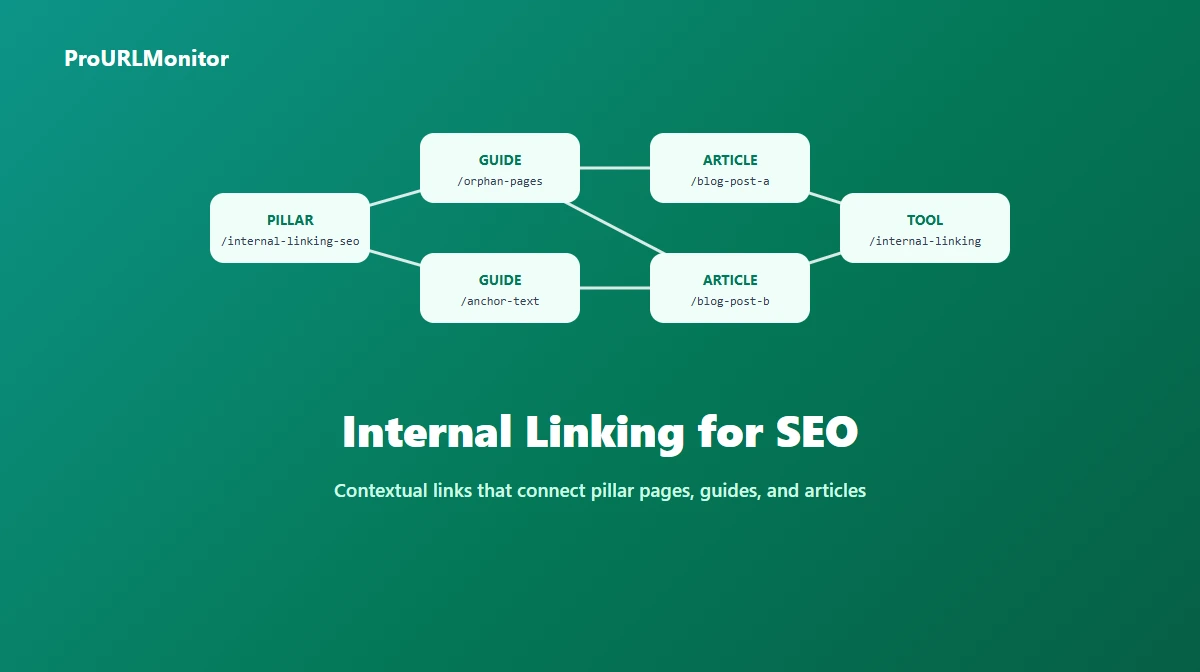
- A pillar page covers a broad topic comprehensively — think of this article as an example: a broad overview of internal linking.
- Supporting pages ("spokes") go deep on one narrow piece of that topic — an orphan pages guide, an anchor text deep-dive, a tool that helps execute the recommendations.
- Links flow both ways. The pillar links out to every relevant spoke, and each spoke links back to the pillar (and, where genuinely relevant, sideways to sibling spokes).
This "hub and spoke" or "topic cluster" model does two useful things: it gives search engines a clear, crawlable structure that maps to how your content is actually organized, and it gives readers an obvious next click no matter which page they land on first.
You don't need a rigid taxonomy to benefit from this. Even an informal habit — "when I publish something new, link it from the two or three most relevant existing pages, and update those pages to link forward to it" — captures most of the benefit without a content-ops overhaul.
Internal Linking Best Practices
- Link because it helps, not because it's possible. A shared keyword between two pages is not, on its own, a reason to link them. The destination should answer the reader's likely next question.
- Prefer contextual links over navigation for topical signal. Use navigation for structure; use body links for relevance.
- Vary your anchor text. Describe the destination in words that fit the sentence naturally. Don't force the exact same phrase every time you link to the same page from different articles.
- Link new content into old content, and old content into new. When you publish something new, add it to a few relevant older pages. This is one of the simplest ways to avoid new pages sitting unlinked for weeks.
- Point directly at the final URL. If a destination redirects, update the link to skip the redirect instead of linking through it.
- Don't over-link a single page. A page with an enormous number of links makes it harder for a reader — and arguably for a crawler — to tell which links actually matter.
Internal Link Anchor Text
Anchor text is the clickable words of a link, and it's one of the few places you get to describe a page in your own words from an external vantage point (from within a different page).
Good anchor text is:
- Descriptive. "Check your redirect chain with a redirect checker" tells the reader exactly what's on the other side. "Click here" tells them nothing.
- Natural. It should read like a normal part of the sentence, not a keyword bolted onto it.
- Varied across sources. If ten different articles all link to the same page, they don't need to use identical anchor text. Varying it — while staying accurate — reads as more natural and gives search engines a broader, more honest picture of what the destination page is about.
Avoid two common mistakes: generic anchors ("here," "this," "read more") that waste the opportunity to describe the destination, and rigid exact-match anchors repeated everywhere, which reads as unnatural to visitors and doesn't reflect how people actually write.
If you're editing an existing page and want help spotting where a contextual link would fit, the Internal Linking Assistant compares your pasted content against destination URLs you already know about and suggests anchor ideas for each match — worth using here specifically because anchor selection is exactly what it's built to help with.
How Many Internal Links Should a Page Have?
This question doesn't have a universal numeric answer, but it does have a useful way to think about it. Contextual links should scale roughly with content length — a short FAQ answer doesn't need five outbound links, while a 3,000-word guide can naturally support several without feeling forced. A commonly cited starting point is a small handful of contextual links per 1,000 words of content, used as a sanity check rather than a quota.
The more reliable test is qualitative: could you explain, for each link on the page, specifically why a reader who reached that sentence would want to click it? If you can't, that link is padding, not a signal — and a page with a lot of padding links doesn't help search engines identify what actually matters on it.
How to Audit Your Internal Links
An internal link audit means systematically reviewing the internal links across your site (or a section of it) to find problems: broken destinations, redirects being linked through instead of around, pages with very few or no incoming internal links, and pages linked from irrelevant context.
A proper sitewide audit requires a crawler — something that can discover your pages (typically via your sitemap and by following links) and build a map of what links to what. That's a different job from anything on this page: it needs to fetch every URL, follow every link, and compile a link graph across potentially thousands of pages, which is squarely what dedicated crawling tools and site audit software exist to do.
A practical, incremental workflow that doesn't require a full crawler for every check:
- Start with your most important pages. Use your analytics or Search Console to find which pages you most want to rank, then check whether they're getting internal links from relevant places.
- Check for broken internal links. ProURLMonitor's Broken Links Checker checks the links on a page (or discovered from your sitemap) with real HTTP requests, so you can find dead internal links without a full crawl.
- Check for unnecessary redirect hops. The Redirect Checker shows every hop a URL passes through — useful for confirming your internal links point at final destinations, not intermediate redirects.
- Review one page's content at a time for new opportunities. Use the Internal Linking Assistant to compare a page's content against destinations you already know are relevant, and add contextual links where they genuinely help.
- For a full link-graph view (which pages have the fewest incoming internal links, sitewide), you'll need a crawler that maps your entire site — that's a distinct capability from any single-page tool, since it requires discovering and cross-referencing every URL at once.
Orphan Pages: The Internal Linking Failure Mode
An orphan page is a page that exists on your site but has no discoverable internal link pointing to it from anywhere else on the site. It's the most concrete failure mode internal linking is meant to prevent — a page can have great content and still struggle to get discovered, crawled, or ranked if nothing links to it.
Orphan pages are common after site redesigns, category reorganizations, or simply forgetting to link a new post into anything else. They're worth checking for specifically rather than assuming good internal linking habits elsewhere will catch them automatically. We cover the full picture — how orphan pages happen, how they differ from pages with merely weak internal linking, and how to actually find them — in a dedicated guide to orphan pages.
Common Internal Linking Mistakes
- Linking for the sake of a link count, rather than because the destination helps the reader.
- Using the same exact-match anchor text everywhere, which reads as unnatural and doesn't reflect real writing.
- Leaving new content unlinked from anything else for weeks after publishing.
- Linking through a redirect instead of updating the link to point at the final URL.
- Treating navigation links as a substitute for contextual links. They serve different purposes.
- Assuming a page can't be an orphan just because it's listed in a sitemap — a sitemap entry doesn't create a discoverable link path from your actual content.
A Practical Internal Linking Workflow
Put simply, a sustainable approach looks like this: publish new content and immediately link it from two or three genuinely related existing pages; periodically re-read older cornerstone pages and add links out to newer, relevant content; check for broken or redirected internal links on a recurring basis rather than only when something breaks visibly; and use a comparison tool like the Internal Linking Assistant when you're editing a page and want a second pass at contextual opportunities you might have missed by eye.
None of this requires new tooling investment or a rigid process — it requires treating internal linking as a normal part of editing, the same way you'd check spelling or verify a fact.
Frequently Asked Questions
What is internal linking in SEO?
Internal linking is the practice of hyperlinking from one page on your site to another page on the same site. Unlike a backlink (a link from someone else's site to yours), an internal link is entirely under your control — you decide which pages link to which, and what the clickable anchor text says. Search engines follow internal links to discover pages, and internal links help both crawlers and visitors understand how your content relates.
Is internal linking still important for SEO?
Yes. Internal links remain one of the few on-page signals a site owner fully controls. They help search engines discover new or updated pages, they distribute link equity across a site, and — just as importantly — they help visitors actually find related content instead of bouncing after one page. None of that has gone away; if anything, it matters more as sites publish more content and risk burying older pages.
How many internal links should a page have?
There is no fixed number that applies to every page. A short page naturally supports fewer contextual links than a long guide. A widely cited starting point is a handful of contextual links per 1,000 words — enough to connect a passage to genuinely related content, not so many that no single link stands out. Treat any number as a sanity check, not a target: add a link because it helps the reader reach something useful next, and stop when you run out of genuine connections, not when you hit a quota.
Does internal link anchor text matter?
Yes, but the goal is description, not keyword density. Anchor text tells both the reader and the search engine what to expect on the other end of the link, so specific, natural phrasing ("check your redirect chain with a redirect checker") outperforms generic phrasing ("click here") and outperforms forcing the same exact-match phrase on every single link to a page. Vary the wording across different source pages the way you'd naturally vary wording in normal writing.
How do I find internal linking opportunities?
Read (or paste) an existing page's content and look for passages that mention a topic another one of your pages already covers in more depth — that passage is a candidate for a contextual link. Doing this by hand across a large site is slow, so ProURLMonitor's Internal Linking Assistant automates the comparison: paste a page's content and the destination URLs you already know about, and it highlights passages with enough topical overlap to be worth a link, plus an anchor idea for each one. It does not crawl your site or invent destinations — it only works with pages you already gave it.
Do internal links pass PageRank?
Internal links do distribute link equity across a site's own pages, which is the modern, practical way to talk about what people mean when they say "internal links pass PageRank." Treat it directionally rather than as something you can calculate precisely: pages with more internal links pointing at them from relevant, crawlable pages tend to be easier for a site to signal as important, and pages with no internal links pointing at them at all (orphan pages) get essentially none of that signal.
How often should I audit my internal links?
For an actively updated site, a quarterly pass is a reasonable default — check after any redesign, URL structure change, or large content migration, since those are when internal links break or become stale most often. Smaller, frequently updated sites (a blog publishing weekly, for example) benefit from linking new posts into a few older, related ones as a matter of habit, rather than waiting for a scheduled audit.
Try Our Free SEO Tools
Put what you learned into action with our free SEO analysis tools.