302 Redirect: What It Is, How It Works & When to Use It
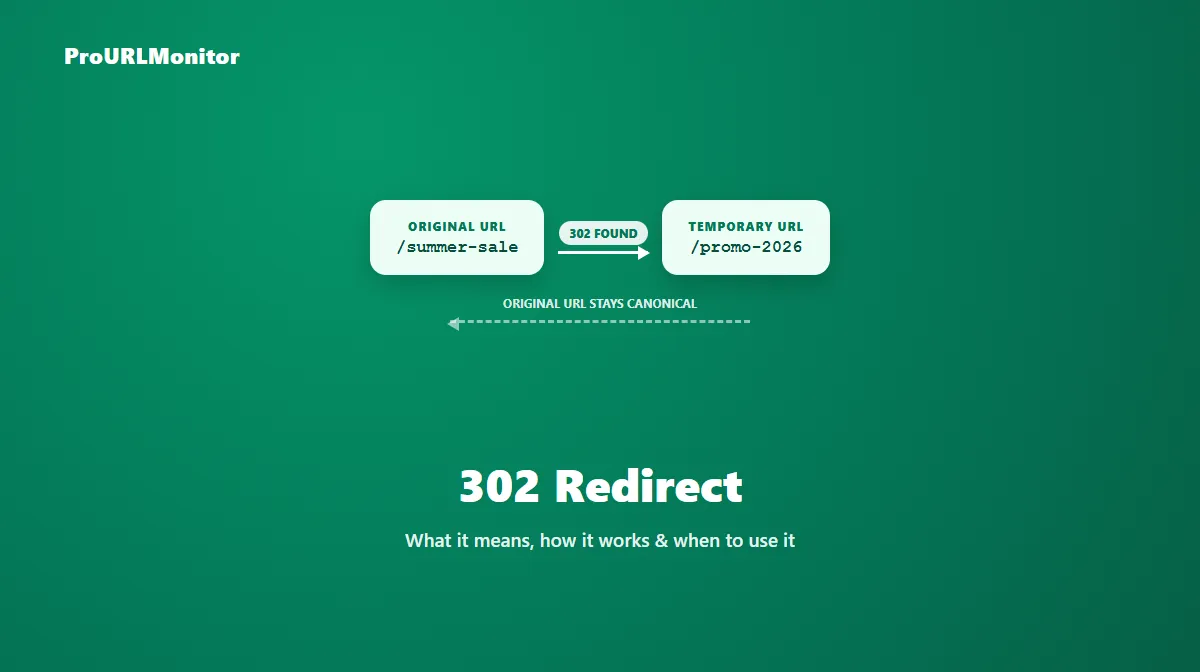
A 302 redirect returns the HTTP status code 302 Found. It tells a browser, crawler, or any other client that the requested URL is available at a different address right now, but only temporarily — the original URL is expected to return to normal use later.
That temporary framing is what separates a 302 from a permanent redirect, and it's the whole reason the status code exists: sometimes a page needs to point somewhere else for a while without giving up its place as the "real" URL.
What Is a 302 Redirect?
When a server returns a 302, it's making a specific claim: this content lives somewhere else for now, but come back and check this URL again later. The response includes a Location header pointing to where the client should go next, and the original URL is expected to keep serving the resource once the temporary situation ends.
That distinction matters most to search engines. A crawler that sees a 302 generally continues to treat the original URL as the canonical one, rather than shifting ranking signals to the destination — because the redirect itself is saying "this isn't permanent."
How Does a 302 Redirect Work?
The mechanics are simple. A client requests a URL, the server responds with status code 302 and a Location header, and the client automatically follows that location to load the destination. Visitors don't see this happen — the browser handles the hop before the page finishes loading.
GET /summer-sale HTTP/1.1
Host: example.com

HTTP/1.1 302 Found
Location: https://example.com/promo-2026
This is a fictional example for illustration, not a live measurement. The important part is what's absent: nothing in that response tells the client "forget the original URL." It only says "go here instead, for now."
One technical wrinkle worth knowing: a 302 doesn't strictly guarantee that the request method survives the redirect. Historically, some clients converted a POST request into a GET when following a 302. If a redirect needs to preserve a non-GET method exactly, 307 is the status code built for that.
When Should You Use a 302 Redirect?
A 302 is the right call whenever the change is genuinely temporary and you expect to reverse it:
- A seasonal or promotional landing page that replaces a normal page for a limited-time campaign, then goes away.
- A maintenance redirect, sending visitors to a status or holding page while the original is being worked on.
- A short-term A/B test or experiment, where a server-side redirect sends a portion of traffic to a variant page for the duration of the test.
- A temporary outage or incident redirect, pointing users somewhere functional while the real page is unavailable.
The test that matters: is the original URL coming back? If yes, a 302 is correct. If the "temporary" situation has quietly become permanent, the redirect should be updated to a 301 instead — see the 301 vs 302 redirect guide for the full decision framework between the two.
302 Redirect Examples
| Scenario | Why a 302 fits |
|---|---|
/holiday-sale redirects to /holiday-sale-2026 for one month | The campaign page is retired once the sale ends; /holiday-sale returns to normal use. |
/checkout redirects to /maintenance during a deploy | The real checkout page comes back once the deploy finishes. |
/pricing redirects to /pricing-variant-b for a two-week test | The experiment is temporary by design. |
All examples above are fictional and used only to illustrate the scenario.
302 Redirect and SEO
The core thing a 302 communicates to search engines isn't "don't index this" — it's "don't treat the destination as the new canonical URL yet." Google's own documentation on redirects states that for a 302 (along with 303 and 307), its indexing pipeline does not use the redirect as a signal that the destination should become canonical, unlike a 301 or 308.
In practice, that means:
- The original URL generally keeps whatever ranking signals it already had.
- The destination URL isn't automatically treated as the new canonical page, because the redirect itself says the move isn't final.
- If a 302 stays in place long after the situation stopped being temporary, the original URL can keep being treated as canonical well past the point where it should have handed that status to the new URL.
That last point is the actual SEO risk with 302s — not that they're "bad," but that using one for a permanent change quietly delays search engines from updating which URL they consider canonical.
How to Check a 302 Redirect
You don't need to inspect server configuration to confirm which status code a URL is returning. ProURLMonitor's Redirect Checker requests a URL, follows its redirect path, and reports the exact status code and destination at every hop.
- Open the Redirect Checker.
- Enter the URL you want to verify.
- Run the check.
- Look at the status code for each hop — a 302 will show up clearly next to the destination it points to.
- Confirm the destination is the URL you actually intend visitors to land on.
This is especially useful when you didn't set up the redirect yourself, or when you want to confirm a temporary redirect hasn't quietly been left in place long past its intended lifespan.
302 vs 301: Quick Difference
A 301 tells search engines the destination should become the new canonical URL — it's a permanent move. A 302 keeps the original URL canonical because the move is meant to be temporary. If you're deciding between the two for a specific situation, the 301 vs 302 redirect guide walks through the full comparison, including SEO implications and a decision framework.
302 vs 307: Important Technical Difference
A 302 and a 307 are both temporary, but they differ in one specific way: method preservation. A 302 doesn't guarantee that a POST request stays a POST after the redirect — some clients have historically switched it to GET. A 307 removes that ambiguity entirely; the method and request body are guaranteed to stay the same.
This matters most for form submissions and API calls. If a URL that receives POST requests needs to redirect somewhere temporarily without losing the request body, a 307 is the correct choice, not a 302. For a full breakdown of how 307 works and when to use it, see the 307 redirect guide.
Common 302 Redirect Mistakes
- Using a 302 for a permanent change. This is the single most common misuse — it leaves the old URL treated as canonical for longer than intended.
- Leaving a "temporary" 302 in place indefinitely, with no plan to either remove it or convert it to a 301.
- Expecting method preservation from a 302 on a form or API redirect, when a 307 is what the situation actually requires.
- Redirecting to an unrelated destination just to avoid a 404, instead of a genuinely relevant temporary page.
- Inconsistent status codes across similar URLs — some routes returning 302 and others 301 for what should be the same kind of temporary change.
How to Verify a 302 Redirect
After setting one up (or inheriting one from an existing site), confirm it's actually behaving as intended:
- Run the URL through the Redirect Checker and confirm the status code is exactly 302, not 301 or 307.
- Check that the destination matches what you expect — a 302 to the wrong page still fully redirects visitors, so a typo in the target URL won't be obvious without checking.
- If the redirect handles form submissions, verify the request method actually survives the hop in your specific server/client combination, since 302 method handling isn't guaranteed.
- Revisit the redirect periodically — a 302 that's still live months later is worth a second look to confirm it's still genuinely temporary.
Frequently Asked Questions
What is a 302 redirect?
A 302 redirect is an HTTP status code (302 Found) that tells a browser or crawler a URL is temporarily available at a different address. Unlike a permanent move, the original URL is expected to serve the content again later, so search engines generally keep treating the original as the canonical URL rather than switching to the destination.
Is a 302 redirect temporary or permanent?
Temporary. That's the entire point of the status code — "302 Found" signals that the resource currently lives at a different URL, but the redirect isn't meant to be a permanent change. If a 302 stays in place indefinitely with no plan to remove it, that's usually a sign it should have been a 301 instead.
Does a 302 redirect hurt SEO?
Not inherently — it does exactly what it's designed to do. A 302 tells search engines not to treat the destination as canonical, since the move is supposed to be temporary. The mistake that actually causes SEO problems is using a 302 for a change that's really permanent, which can leave the old URL treated as canonical for far longer than intended.
What's the difference between a 302 and a 301 redirect?
A 301 (Moved Permanently) tells search engines the destination should become the new canonical URL. A 302 (Found) signals a temporary move, so the original URL generally keeps its canonical status. Use a 301 when the old URL isn't coming back, and a 302 when it is. See our full 301 vs 302 redirect guide for a complete decision framework.
What's the difference between a 302 and a 307 redirect?
Both are temporary, but they differ in method preservation. A 302 doesn't strictly guarantee that a non-GET request (like a form POST) keeps its original method after the redirect — some clients have historically converted it to a GET. A 307 guarantees the method and body stay the same. If an API or form submission must keep its exact method through the redirect, 307 is the safer choice.
How do I check if a URL returns a 302 redirect?
Use a redirect-checking tool that requests the URL and reports the HTTP status code returned. ProURLMonitor's Redirect Checker follows a URL's full redirect path and shows the status code, destination, and any protocol change at every hop, so you can confirm whether a URL is returning a 302 or another status code entirely.
What are common mistakes with 302 redirects?
The most common mistake is leaving a 302 in place for a change that turned out to be permanent, which delays search engines from treating the new URL as canonical. Others include using a 302 where a 307 is needed to preserve a POST request's method, and redirecting to a destination that isn't actually a close match for the original page's content.
Try Our Free SEO Tools
Put what you learned into action with our free SEO analysis tools.