Crawled - Currently Not Indexed: Causes & How to Fix It
Quick Links: Google Indexing guide · Discovered - Currently Not Indexed · Google URL Inspection Tool guide · Google Index Checker · HTTP Status Checker
What "Crawled - currently not indexed" actually means
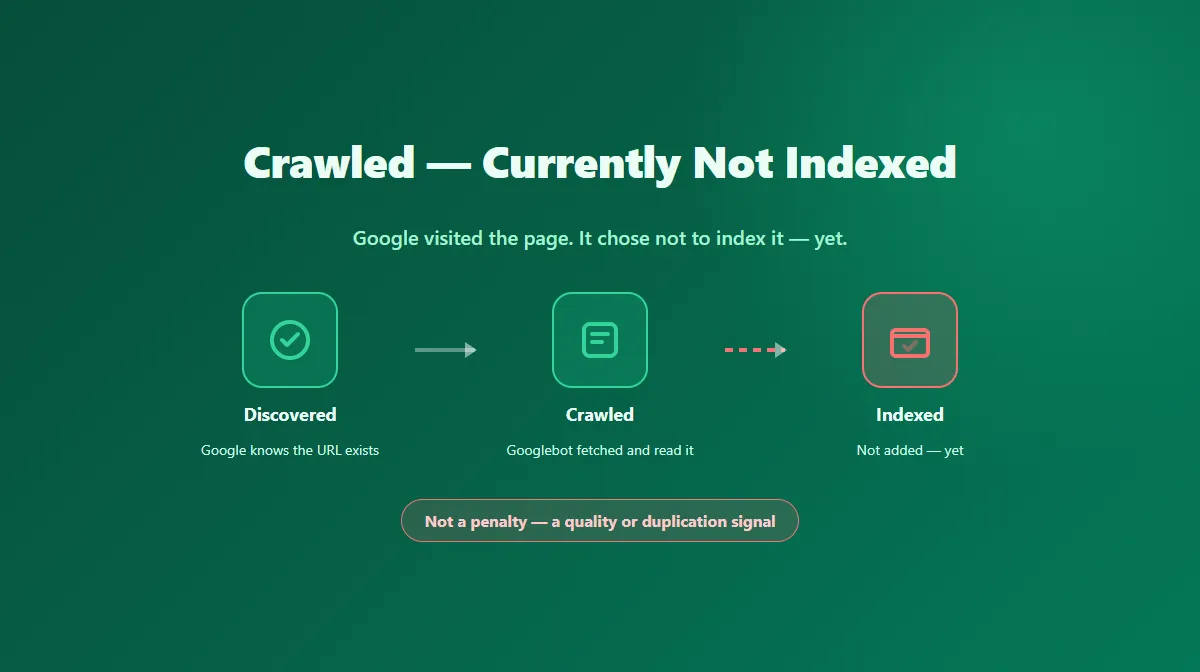
This status appears in the Pages report inside Google Search Console. It tells you something specific: Googlebot successfully visited the page, but Google's indexing systems evaluated it and decided not to add it to the index — at least not right now.
That distinction matters. This isn't a crawl failure, a blocked URL, or a technical error. Google got in, read the content, and passed on indexing it anyway. That usually points to a judgment about the page itself rather than a wall standing in front of it.
It's also not permanent by definition. Google can and does revisit these URLs. A page stuck in this status today can move to indexed later, particularly if you address the likely cause below rather than just waiting.
Crawled vs. Discovered: a different stage in the pipeline
It's easy to lump this together with the similarly-named Discovered - currently not indexed status, but they describe different points in Google's process:
- Discovered — Google knows the URL exists (from a sitemap or a link) but hasn't crawled it yet. The bottleneck is getting there.
- Crawled — Google already got there, read the page, and still chose not to index it. The bottleneck is what it found.
Because Crawled means Google already evaluated the actual content, it usually points to a content-quality, duplication, or canonicalization issue rather than a pure discovery or crawl-budget problem.
Common causes
Thin or low-value content
Pages with very little unique text, auto-generated boilerplate, or content that reads as filler are a frequent cause. Google's systems are built to skip indexing pages that don't add enough distinct value to be worth serving.
Duplicate or near-duplicate content
If the page closely matches another page — yours or someone else's — Google may choose to index only one version and leave the rest out. This includes near-duplicate product pages, syndicated content, and templated pages that only swap a few variables.
Canonicalization pointing elsewhere
If a rel="canonical" tag on the page names a different URL as preferred, Google generally respects that signal and indexes the canonical target instead of the page you're checking. Confirm the canonical actually points to the URL you want indexed.
Low overall page quality or trust signals
Thin internal linking, low-quality surrounding content on the same site, or a page that reads as auto-generated can all factor into whether Google considers a specific URL worth indexing, even when nothing is technically broken.
Rendering or content visibility issues
If the meaningful content only appears after client-side JavaScript executes in a way that doesn't render reliably during Google's processing, Googlebot may effectively see a thinner page than a human visitor does.
How to fix it — a practical workflow
- Read the page the way Google would. Is there enough unique, substantive content to justify a separate URL? If it's thin, expand it with real detail — not repeated keywords.
- Check for duplication. Compare it against similar pages on your own site and search a distinctive sentence from it to see if it matches other sources.
- Verify the canonical. Confirm it's self-referencing if you want this exact URL indexed, not pointing at a different preferred version.
- Confirm the content renders without depending on user interaction. If key content only shows up after a click or heavy client-side rendering, make sure it's present in the initial server response too.
- Strengthen internal links. Link to the page from other relevant, already-indexed pages using descriptive anchor text — this is both a discovery signal and a quality signal.
- Use URL Inspection's live test to see how Google currently renders and evaluates the page, separate from the last indexed snapshot.
- Confirm the basics are clean — a real 200 status (check with the HTTP Status Checker), no accidental
noindex, and no robots.txt block. - Only then request indexing through URL Inspection, once you've actually changed something Google would notice on a recrawl.
What not to do
- Don't request indexing repeatedly on an unchanged page — it doesn't speed anything up and burns a limited daily quota of validation requests.
- Don't assume this status is a manual penalty. It isn't, and treating it as one can lead to the wrong fix.
- Don't promise a guaranteed timeline for recovery. Google doesn't publish one, and recrawl frequency varies by site.
Where a public index checker fits in
A public tool like the Google Index Checker can tell you whether a URL currently appears in public search results — a useful sanity check after you've made fixes. But it has no visibility into Search Console's internal "Crawled - currently not indexed" label itself; that status only exists inside Search Console for a property you've verified. Use the two together: Search Console to see the status and the reason categories, a public checker as an independent spot-check once you believe the issue is fixed.
Official Google resources
Try Our Free SEO Tools
Put what you learned into action with our free SEO analysis tools.