Discovered - Currently Not Indexed: What It Means & How to Fix It
Quick Links: Google Indexing guide · Crawled - Currently Not Indexed · Google URL Inspection Tool guide · Google Index Checker · XML & HTML Sitemap Generator
What "Discovered - currently not indexed" actually means
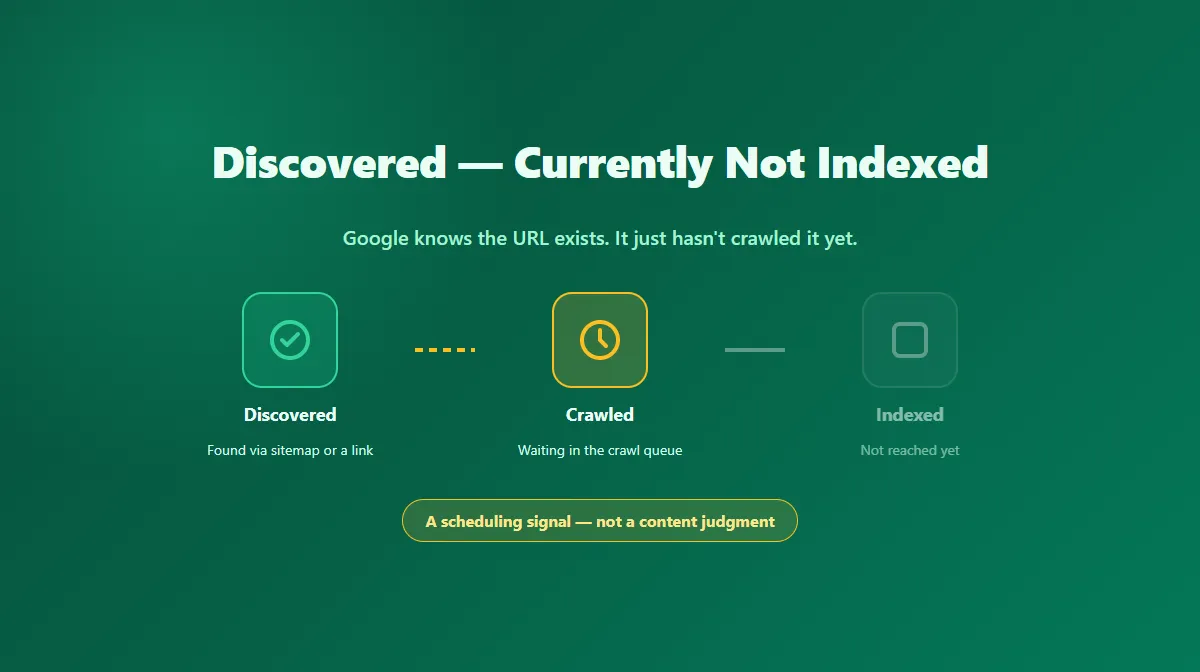
This status shows up in Google Search Console's Pages report when Google is aware a URL exists but hasn't crawled it yet. Discovery usually happens through your XML sitemap, an internal or external link, or a previous crawl of a related page.
The important thing this status does not tell you: it says nothing about the page's content quality, because Google hasn't read the content yet. This is a crawl-scheduling status, not a content evaluation.
Why Google delays crawling a page it already knows about
Google doesn't crawl every known URL immediately. Crawling is prioritized based on several signals:
- Site-wide crawl demand and authority. Larger, more established, more frequently-updated sites tend to get crawled more readily and more often.
- Server capacity and response speed. If your server responds slowly or inconsistently, Google may deliberately throttle how aggressively it crawls to avoid overloading it.
- Perceived importance of the URL. A URL buried deep in the site structure, with few internal links pointing to it, generally gets lower crawl priority than a page linked from your homepage or main navigation.
- Crawl budget on very large sites. For sites with a very large number of URLs, Google allocates a limited crawl budget across all of them, and low-priority URLs can wait longer.
None of this means the page is being penalized. It means it's sitting further back in a queue.
When it's normal to just wait
For a newly published page on a smaller or newer site, seeing this status shortly after publishing is common and not usually cause for concern. Give it a reasonable window — the exact timing varies by site, and Google doesn't publish a guaranteed crawl schedule — before treating it as a problem to actively fix.
When to actively help Google crawl the page sooner
If a URL has sat in this status for a while, or if it's an important page you don't want to leave to chance, there are concrete things that help:
- Add contextual internal links from pages Google already crawls frequently — your homepage, high-traffic articles, or category pages — using descriptive anchor text.
- Confirm the URL is in a clean XML sitemap. A sitemap doesn't force a crawl, but it's a clear discovery signal. Use the XML & HTML Sitemap Generator if you need to create or refresh one.
- Reduce crawl waste elsewhere on the site. Broken links, redirect chains, and low-value URLs competing for the same crawl budget can slow down how quickly Google reaches the pages that matter. A Broken Links Checker scan can help surface these.
- Check your server's response time and reliability. A server that responds slowly or returns intermittent errors can cause Google to crawl more cautiously.
- Avoid burying important pages too deep. If a page requires many clicks from the homepage to reach, consider a shorter path through your navigation or a relevant hub page.
- Use URL Inspection's "Request Indexing" for a specific, important URL once you've made real improvements — not as a repeated ping for the same unchanged page.
Discovered vs. Crawled: don't conflate the two
It's worth being precise here, because the fix is different depending on which status you're looking at:
- Discovered - currently not indexed (this page): Google hasn't crawled it yet. Fix crawl priority and discovery signals.
- Crawled - currently not indexed: Google crawled it and chose not to index it. Fix content quality, duplication, or canonicalization.
If you're not sure which one applies, check the status directly in Search Console's Page indexing report for the specific URL — don't guess from symptoms alone.
Where a public index checker fits in
A tool like the Google Index Checker checks public search visibility, not Search Console's internal crawl queue — it has no way to see that a URL is sitting in "discovered" status, since that label only exists inside a verified property's own reporting. Use Search Console to diagnose this specific status, and treat a public checker as a separate, later sanity check once the page is actually indexed.
Official Google resources
Try Our Free SEO Tools
Put what you learned into action with our free SEO analysis tools.