How Accurate Is IP Geolocation?
"How accurate is IP geolocation?" doesn't have one answer, because accuracy isn't uniform across the fields a lookup returns. Country-level results are generally trustworthy. City and coordinate-level results are estimates that can be meaningfully wrong. Understanding why that gap exists — and which specific things widen it — is the difference between reading a geolocation result correctly and being misled by it.
This is the companion piece to What Is IP Geolocation and How Does It Work?, which covers the mechanics in full; this article focuses specifically on how much to trust each part of a result. If you want to see the real numbers for a specific address, ProURLMonitor's IP Location Finder returns live geolocation and network data you can check against your own expectations.
Accuracy Isn't One Number — It's a Gradient
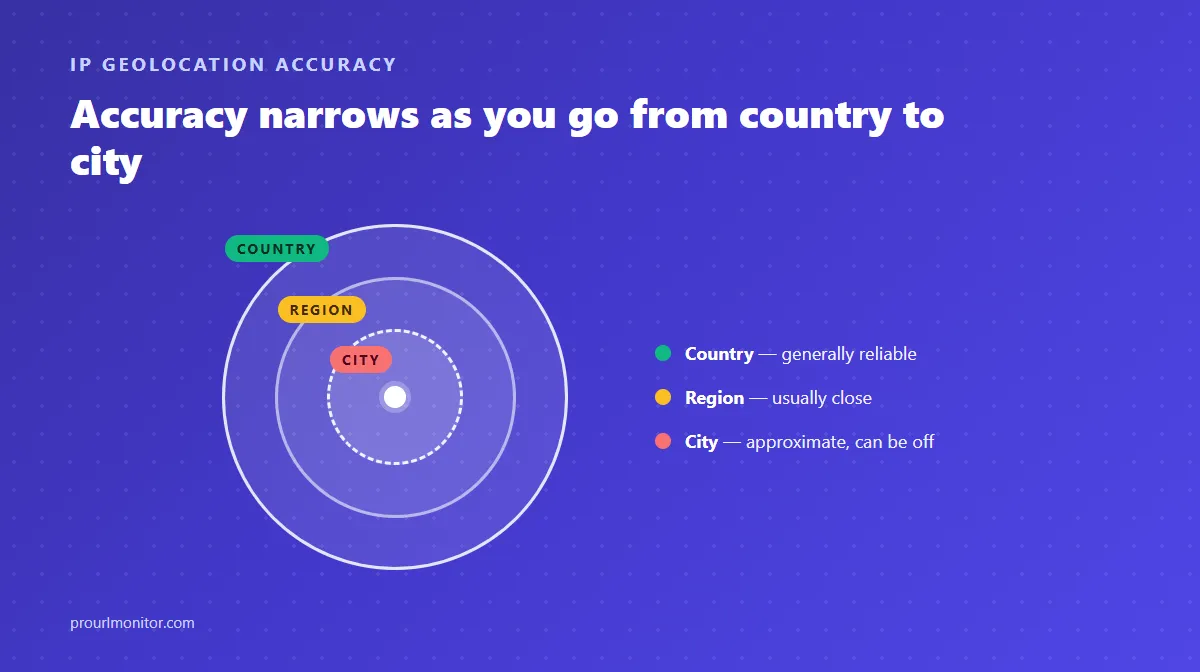
The clearest way to think about IP geolocation accuracy is as a gradient that narrows as the claim gets more specific:
- Country — generally reliable. This field is anchored to regional internet registry (RIR) allocation data, which is stable, public, and rarely wrong at the country level.
- Region — usually close, but a genuine estimate rather than registry fact.
- City — approximate, and the field most likely to be off. It depends entirely on a specific provider's database coverage for that exact address range.
- Latitude/longitude — typically a representative point (often a city or network centroid), not the coordinates of any particular device.
Every step down that list trades reliability for specificity. A geolocation result that's precisely wrong at the city level while being correctly right at the country level isn't a contradiction — it's exactly what the underlying data supports.
Why City-Level Results Miss
City-level accuracy depends on how well a provider's database has mapped that specific address range, and coverage is uneven for a few concrete reasons:
- Recently reassigned ranges. When an ISP reallocates a block of addresses, geolocation databases don't always update immediately, so a lookup can return the range's previous known location for a while.
- ISP network topology. A large ISP often routes a wide geographic area's traffic through a smaller number of core network points, and some databases geolocate to that routing point rather than the actual customer's city.
- Sparse data for a range. Some address blocks simply have thinner documentation than others, especially outside major metro areas, which pushes providers toward a best-guess regional hub instead of a precise city.
Network Effects That Distort Results
Beyond database coverage, several structural facts about how networks actually work will change what a geolocation lookup reports, regardless of how good the underlying database is:
| Cause | What it does to the result |
|---|---|
| VPN or proxy | Geolocation reflects the VPN/proxy server's location, not the original user's — by design, since that's genuinely where the traffic is now coming from. |
| CGNAT (carrier-grade NAT) | Many customers share one public IP, so the geolocated point represents wherever that shared address is registered, not any individual customer. |
| Mobile networks | Traffic is often routed through a small number of regional gateways, which can geolocate to a hub city rather than the phone's actual location. |
| Corporate networks | Traffic from many office locations can exit to the internet through one centralized address, geolocating to headquarters rather than each branch. |
| CDN / anycast | A single domain can resolve to different IPs — and different real locations — depending on which edge server answers, so "the" location of a domain can validly differ between lookups. |
None of these are database errors. They're the geolocation system correctly reporting the network's location — it's the assumption that "network location" always equals "user location" that breaks down.
IPv6 Accuracy
The geolocation method for IPv6 is identical to IPv4 — registry allocation data plus a provider's own database — but coverage can lag. IPv6 deployment and address reassignment have scaled up more recently than IPv4's multi-decade history, so some geolocation databases have thinner records for certain IPv6 ranges. This gap is closing as IPv6 adoption matures, but it means an IPv6 lookup can currently return a coarser result than an equivalent IPv4 one from the same provider.
What Latitude/Longitude Actually Represents
A common misreading of geolocation output is treating the returned coordinates like a GPS pin. In reality, those coordinates are typically a representative point — often a city or network centroid chosen by the provider's database — not a measurement of any specific device's position. Two devices on the same address range, in different parts of the same city, can return the identical coordinates, because the database is describing the range, not either device.
Does an IP Reveal Your Identity or Exact Address?
No. Two claims are worth separating clearly:
Exact address: IP geolocation databases operate at city/region granularity at best. They contain no street-level or subscriber-level data. Reaching an actual address would require the assigning ISP's private subscriber records, which are disclosed only through a legal process — never through a geolocation lookup.
Identity: An IP address is not a stable stand-in for a specific person. Dynamic IP assignment means the same address can belong to different subscribers over time; CGNAT means many people can share one address simultaneously; and VPN/proxy use means the address a service sees may not be the person's own network at all.
Why Providers Disagree With Each Other
If you check the same IP against two different geolocation tools and get two different cities, that's not unusual — it's the predictable result of each provider building an independent database from its own mix of registry data, ISP submissions, and routing signals, refreshed on its own schedule. Country-level answers converge often, because they rest on the shared, stable registry layer. City-level answers diverge more, because each provider's estimation layer on top of that registry data is genuinely different.
How to Read a Geolocation Result
Given all of the above, a practical approach: trust the country field with high confidence, treat region and city as reasonable-but-unconfirmed estimates, read coordinates as "somewhere in this network's area" rather than a precise point, and treat ASN/network organization as reliable registry fact rather than an estimate at all — it's a different kind of data than the geographic fields, sourced directly from network registration rather than a geolocation guess.
Check a Real Address
The best way to see these accuracy patterns in practice is to look up a real IP or domain. ProURLMonitor's IP Location Finder returns country, region, city, coordinates, timezone, and ASN/network organization for any public IPv4 or IPv6 address — and if you want the full explanation of where that data comes from in the first place, see What Is IP Geolocation and How Does It Work?
Frequently Asked Questions
How accurate is IP geolocation?
It depends heavily on which field you're looking at. Country-level results are generally reliable because they're anchored to stable network-registry data. City, region, and coordinate results are estimates from a geolocation provider's database and can be wrong — sometimes off by a neighboring city, sometimes by a much wider margin — especially for mobile networks, recently reassigned address ranges, and VPN or proxy traffic.
Is IP address location accurate at the city level?
Not reliably. City-level geolocation is a best-effort estimate built from whatever data a provider has for that specific address range, and that coverage varies a lot. Some ranges are well-documented and land on the correct city; others resolve to a regional hub, an ISP's headquarters, or a city that's simply wrong. Treat city-level results as a rough approximation, not a confirmed fact.
Can an IP address reveal your exact location?
No. IP geolocation tops out at approximate city or region level and a representative set of coordinates — never a street address, and never a live GPS-precision position. Getting from an IP to an exact physical address would require the assigning ISP's subscriber records, which aren't public and are only disclosed through a legal process, not through a geolocation lookup.
Why does my IP show the wrong city?
Several common causes: your traffic is going through a VPN or proxy, so the geolocation reflects that server's location, not yours; you're on a mobile network that routes many users through a shared gateway address; your ISP uses CGNAT, meaning many customers share one public IP registered to a single location; or the geolocation database simply hasn't caught up with a recent reassignment of your address range.
Does a VPN or proxy change my IP location?
Yes, and this is one of the most common causes of an unexpected result. A VPN or proxy replaces your IP with one from its own server, so any geolocation lookup returns that server's network location — which could be a different city, country, or continent from where you actually are. This is expected behavior, not a flaw in the geolocation database.
Is IPv6 geolocation as accurate as IPv4?
Not always. The underlying method is identical, but some geolocation databases have less complete coverage for IPv6 ranges simply because large-scale IPv6 deployment and reassignment are more recent than IPv4's much longer history. Coverage gaps are closing over time, but at any given moment an IPv6 lookup may return a coarser or less confident result than an equivalent IPv4 one.
Can you find location from an IP address at all, or is it pointless?
It's genuinely useful for what it's actually good at — country-level accuracy, and network/ASN identification — and unreliable for what it was never designed to do, which is pinpoint an individual device. The mistake isn't using IP geolocation; it's expecting GPS-level precision from a system built on network-registration data.
Try Our Free SEO Tools
Put what you learned into action with our free SEO analysis tools.