Meta Robots Tag: noindex, nofollow & Other Directives Explained
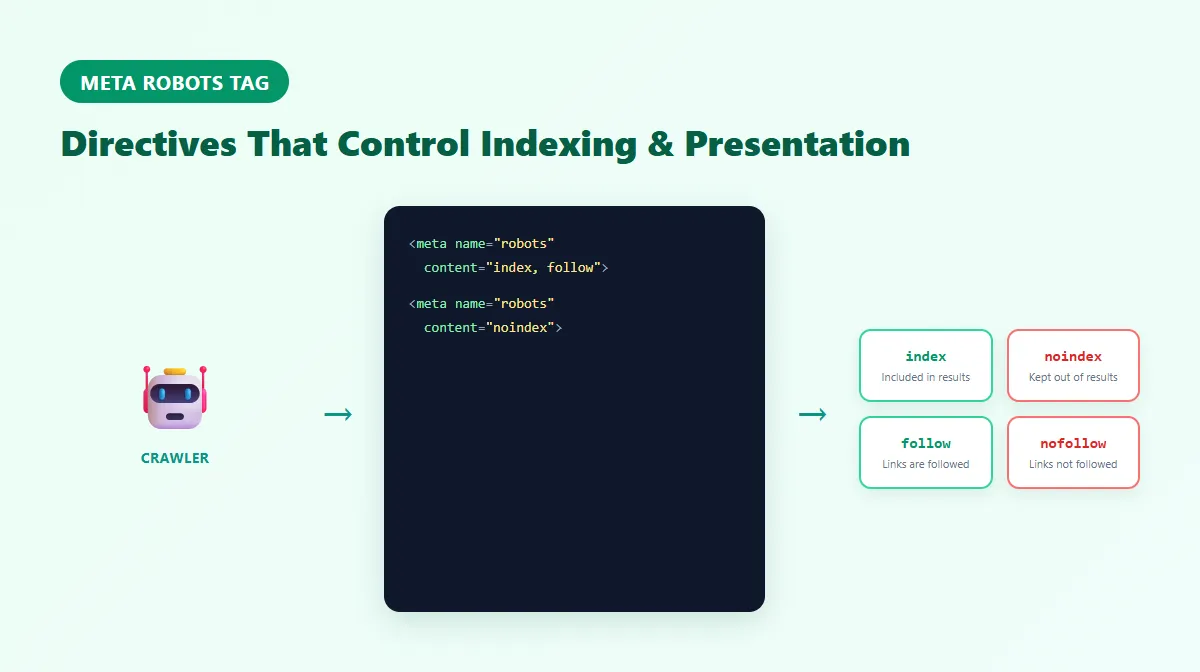
A meta robots tag — written as <meta name="robots" content="..."> — gives search engines page-level directives about indexing and presentation: whether to include the page in search results, whether to follow its links, and how much of it to show in a snippet or preview. It's not a crawling control — a crawler has to actually access the page before it can see this tag at all.
That last point is exactly why one of the most common meta robots mistakes exists: blocking a page in robots.txt while also expecting its noindex tag to remove it from search. If the crawler can't reach the page, it never sees the noindex directive either. This guide covers how the meta robots tag actually works, its individual directives, how it relates to robots.txt, X-Robots-Tag, and the canonical tag, and the mistakes that most often undermine it — sourced directly from Google's own documentation.
What Is a Meta Robots Tag?
The meta robots tag is an HTML element placed in a page's <head>:
<meta name="robots" content="noindex, nofollow">
It's read by crawlers that support it (Google being the primary audience for most sites) after they've successfully accessed the page. According to Google's Robots Meta Tag Specifications, the name attribute can also target a specific crawler by using that crawler's user-agent token (for example, googlebot or googlebot-news) instead of the generic robots value, if you need a directive to apply to one search engine's crawler rather than all of them.
How the Robots Meta Tag Works
Multiple directives can be combined in one tag, separated by commas:
<meta name="robots" content="index, follow">
<meta name="robots" content="noindex, follow">
<meta name="robots" content="noindex, nofollow">
If a page has no robots meta tag at all, the default behavior is already index, follow — so explicitly declaring index, follow on every page doesn't create any additional benefit; it's only useful when you need to override a more restrictive default set elsewhere (a CMS template, for instance, that applies noindex automatically to certain page types).
If directive values genuinely conflict — say, one tag says index and another says noindex — Google's own documentation states it uses the most restrictive value. The same applies when combining a generic robots tag with a crawler-specific one (like googlebot): Google combines the rules and applies the most restrictive result. Multiple robots meta tags on a single page are technically read, but Google recommends keeping all values in one tag to avoid this kind of ambiguity.
Common Meta Robots Directives
index and follow (the default)
index allows the page to be included in search results; follow allows crawlers to follow its links. Together they're the default when no robots meta tag is present — declaring them explicitly is harmless but not a meaningful optimization on its own.
noindex
noindex tells a search engine not to include this specific page in search results. Google's own guidance on blocking indexing is explicit about a critical requirement: the page must remain crawlable for this to work. If robots.txt blocks the URL, Google's crawler may never access the page to see the noindex tag — and the URL can still show up in search results (without a snippet) if it's discovered through links elsewhere. Removal from search after adding noindex isn't necessarily instant; it depends on when the page is next crawled, and Google hasn't published a fixed timeline for this.
nofollow
At the page level, <meta name="robots" content="nofollow"> tells Googlebot not to follow any of the links on that page. This is a different mechanism from the per-link rel="nofollow" attribute on an individual <a> tag — since 2020, Google has treated rel="nofollow" (along with the newer rel="sponsored" and rel="ugc" attributes) as a hint, one signal among others it uses to decide how to treat a link, rather than an absolute instruction. Don't rely on page-level nofollow, or the historically common noindex, follow combination, as a way to permanently control how link signals flow — Google has indicated that pages left with a long-standing noindex directive get crawled less over time, and links on a page that's rarely revisited may not continue to be processed the way they would on a normal, actively indexed page.
noarchive
noarchive historically prevented a cached copy of a page from appearing in search results. As of 2024, Google removed its cached-page feature from Search entirely after retiring the cache: search operator, so noarchive no longer has any effect on Google specifically. Google has stated there's no need to remove existing noarchive tags, and notes that other search engines or services may still use the directive — so it isn't harmful to leave in place, just no longer meaningful for Google's own cached-page display.
nosnippet
nosnippet prevents a text snippet or preview (and, per Google's documentation, caching of the page) from being shown for that result in search. It's a presentation control, not an indexing control — the page can still be indexed and shown, just without preview text. Don't confuse it with noindex, which removes the page from results entirely.
max-snippet
max-snippet:[number] limits how many characters of text Google can show in a snippet for the page. Two special values apply: 0 behaves the same as nosnippet (no snippet shown), and -1 places no limit, letting Google choose the length it judges most useful. A positive number sets an explicit character cap.
max-image-preview
max-image-preview:[setting] controls the largest image preview size Google may show for images on the page, using none (no image preview), standard, or large (up to full display width). This affects presentation only — it isn't a ranking signal, and it doesn't guarantee a particular image will be chosen or that a feature like Discover will use it.
max-video-preview
max-video-preview:[number] sets a maximum duration, in seconds, for an animated video preview Google may show; -1 removes the cap, and 0 allows only a static image instead of a video preview.
These directives can be combined, e.g. <meta name="robots" content="max-snippet:50, max-image-preview:large">.
What Is X-Robots-Tag?
X-Robots-Tag is an HTTP response header carrying the same directives available in the meta robots tag. According to Google's documentation, any rule usable in a meta robots tag can also be set this way:
X-Robots-Tag: noindex
This matters most for non-HTML files — PDFs, images, and other media have no <head> to place a <meta> tag in, so a header is the only way to apply these directives to them. It's also useful for setting a directive at the server or CDN level across many URLs at once, rather than editing individual page templates.
Meta Robots Tag vs. X-Robots-Tag
| Meta robots tag | X-Robots-Tag | |
|---|---|---|
| Location | <meta> element in HTML <head> | HTTP response header |
| Works for HTML pages | Yes | Yes |
| Works for non-HTML files (PDFs, images) | No — no <head> to place it in | Yes |
| Typically configured | In the page template/CMS | At the server, CDN, or application level |
| Best suited for | Per-page directives in normal HTML pages | Non-HTML resources, or applying a rule across many URLs at once |
Neither is universally "stronger" — they carry the same directive vocabulary. Which one to use depends on what kind of resource you're controlling and where it's easiest to configure that control in your stack.
Meta Robots Tag vs. Robots.txt
These are frequently confused, but they control different things:
robots.txtcontrols whether a crawler is allowed to access a URL at all — it's a crawling gate, checked before a request is made.- The meta robots tag gives indexing and presentation directives that a crawler can only read after it has successfully accessed the page.
The practical consequence: if robots.txt disallows a URL, Google generally can't see that page's noindex tag, because it never gets far enough to read the page's HTML. Google's own documentation is direct about this — to make noindex effective, the page must be crawlable, not blocked in robots.txt. It's also worth knowing that Google officially stopped honoring an unsupported noindex: line inside robots.txt files back in 2019 — robots.txt was never a supported place to declare indexing directives, only crawling ones.
If you're building or editing a robots.txt file itself, our Robots.txt Generator can help you create one — just keep in mind it controls crawling, not the indexing directives covered in this guide.
Meta Robots Tag vs. Canonical Tag
These solve different problems and shouldn't be treated as interchangeable:
- Canonical signals which URL is the preferred version among duplicate or similar pages that can all still be crawled and indexed.
noindexrequests that a specific page not be indexed at all, regardless of whether duplicates exist.
If you have several URLs showing the same content and want search engines to consolidate on one, canonical is usually the right tool. If a page genuinely shouldn't appear in search at all — a staging page, an internal search-results page, a thank-you page — noindex is the more direct tool. Combining canonical and noindex on the same page sends a mixed signal and isn't something to do casually. For the full picture on how canonical works, see our dedicated Canonical Tag guide.
Common Meta Robots Mistakes
- Blocking a
noindexpage inrobots.txt— the single most common mistake covered above; it prevents thenoindexdirective from ever being seen. - Accidentally
noindex-ing important pages — often from a staging or template default that never got removed before launch. - Using
nofollowsitewide unnecessarily — blocking link-following at the page level for pages where there's no real reason to. - Contradictory
robotsand crawler-specific tags (e.g.,googlebot) that create confusing, hard-to-predict combined behavior. - Multiple conflicting meta robots tags on one page instead of one consolidated tag.
- A
noindexadded via a staging template and forgotten after the page goes live. - A CDN or server unexpectedly adding an
X-Robots-Tagthat conflicts with what the page's own HTML declares. - Assuming the absence of
noindexguarantees indexing — it doesn't; indexing also depends on crawlability, content quality, and Google's own evaluation. - Reaching for a robots directive when canonicalization is the better fit — for consolidating duplicate content, canonical is usually more appropriate than blanket
noindex.
How to Check Robots Directives
Rather than viewing page source by hand, ProURLMonitor's Meta Tag Checker fetches a live URL and shows the actual meta robots value found in its HTML, the parsed directive list, and the X-Robots-Tag value from the response headers if one is present — alongside the requested and final URL. It flags a noindex directive clearly when found.
Two things worth being precise about: the checker shows what's declared in the page's HTML and headers, not Google's actual index status for that URL — for that, Google Search Console is the authoritative source. And it doesn't perform full Googlebot rendering, so directives injected purely by client-side JavaScript after page load won't be reflected. If you specifically need to confirm whether a URL is actually indexed by Google (rather than what it declares), our Google Index Checker is the more direct tool for that separate question.
For the wider page-metadata picture — title, description, canonical, Open Graph, and Twitter/X tags alongside robots — see our Meta Tags for SEO guide.
Best Practices
- Only add a robots meta tag when you need to override the default
index, followbehavior — there's no benefit to declaring it everywhere. - Never rely on
robots.txtto keep a page out of search if you also need itsnoindextag to be read — the page must stay crawlable. - Keep all directive values in one meta robots tag per page, rather than several that might conflict.
- Use
X-Robots-Tagfor non-HTML resources (PDFs, images) rather than trying to apply a meta tag that has nowhere to live. - Don't use
nofollowat the page level as a substitute for genuinely restricting crawl access — it's a hint-influenced signal, not a hard block. - When choosing between canonical and
noindex, ask whether the goal is consolidating duplicates (canonical) or keeping a page out of search entirely (noindex). - Double-check CMS/staging templates before launch — an inherited
noindexis one of the most common accidental de-indexing causes.
Frequently Asked Questions
What is a meta robots tag?
A meta robots tag, written as <meta name="robots" content="..."> in a page's <head>, gives page-level directives to search engines about indexing and presentation — most commonly whether to index the page and whether to follow its links. It only takes effect after a crawler has actually accessed the page; it does not block crawling itself.
What is the difference between robots.txt and a meta robots tag?
Robots.txt controls whether a crawler is allowed to access a URL at all. The meta robots tag gives indexing and presentation directives that a crawler can only read after it has accessed the page. If robots.txt blocks a URL, a crawler may never see that page's noindex tag, so the two aren't interchangeable — and blocking a URL in robots.txt is not a reliable way to remove it from search results.
What does noindex mean?
noindex tells a search engine not to include that specific page in its search results. For it to work, the page must remain crawlable — if robots.txt blocks the URL, the crawler can't see the noindex directive, and the page could still appear in results if it's linked from elsewhere.
What does nofollow mean in a robots meta tag?
At the page level, <meta name="robots" content="nofollow"> tells Googlebot not to follow any of the links on that page. This is distinct from the per-link rel="nofollow" attribute on an individual <a> tag, which Google has treated as a hint (alongside rel="sponsored" and rel="ugc") rather than a strict directive since 2020.
Do I need index, follow on every page?
No. Index and follow are the default behavior for a page with no robots meta tag at all, so explicitly adding "index, follow" to every page doesn't create any additional SEO benefit. It's only meaningful to declare when you specifically want to override a more restrictive default elsewhere, such as a CMS template that adds noindex automatically.
What is X-Robots-Tag?
X-Robots-Tag is an HTTP response header that carries the same directives as the meta robots tag (noindex, nofollow, and so on). It's especially useful for non-HTML files like PDFs and images, which have no <head> section to place a meta tag in, and for applying directives at the server level across many URLs at once.
Can a page be blocked by robots.txt and also use noindex?
You can add both, but it defeats the purpose. If robots.txt blocks the page, Google's crawler generally can't access it to read the noindex directive, so the noindex has no effect. To reliably keep a page out of the index with noindex, the page must remain accessible to crawling, not blocked in robots.txt.
Try Our Free SEO Tools
Put what you learned into action with our free SEO analysis tools.