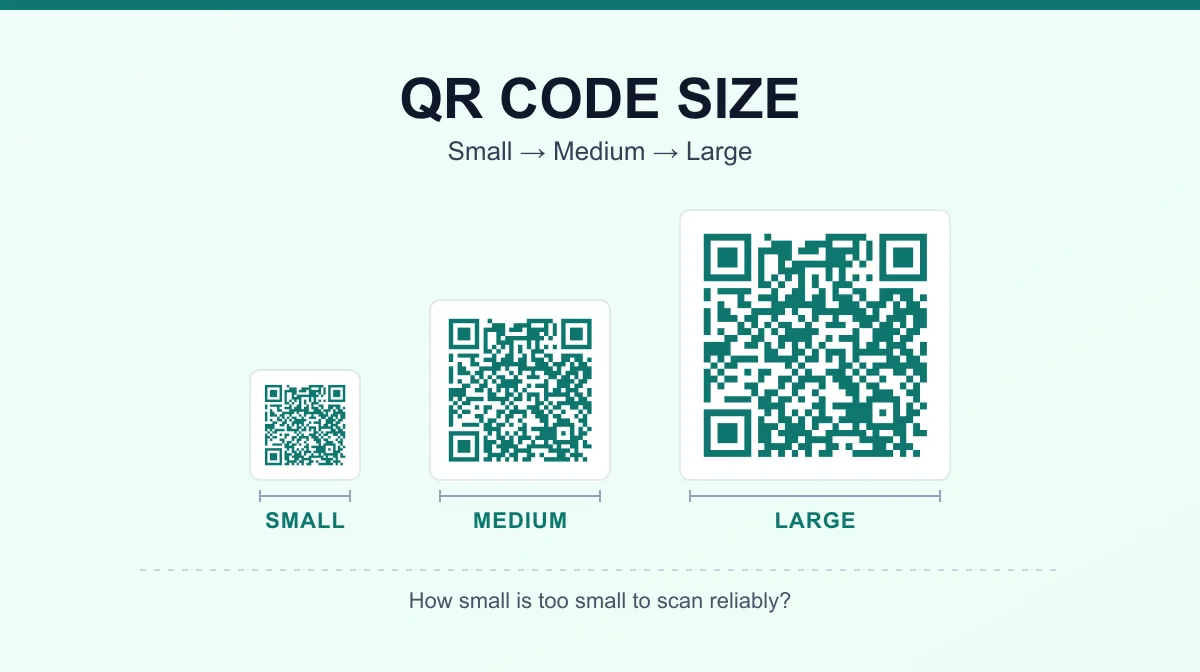
How Small Can a QR Code Be? Minimum QR Code Size Guide
There's no single minimum size that works for every QR code. How small one can go depends on how many modules it contains, how much data is encoded, what error correction level is used, how large each module is printed, and how far away it will be scanned from. A simple code linking to a short URL can be printed noticeably smaller than a dense one encoding a full vCard — which is why a flat "minimum QR code size" number is misleading on its own.
As a practical starting point for close-range, printed use, many guides avoid going smaller than roughly 2 x 2 cm. That's a widely used rule of thumb based on how modules hold up under normal print and camera conditions — not a figure defined in the QR code standard itself.
How Small Can a QR Code Be?
There's a real gap between what's technically possible and what actually scans reliably. Technically, a code can be rendered at a tiny physical size as long as a camera can still resolve each individual module — the small black-and-white squares that make up the pattern. Under lab conditions, with a sharp source file and a high-resolution lens, that floor can be surprisingly small.
In practice, print quality gets in the way first: ink spread, paper texture, and printer resolution soften small modules before a camera's optical limit is reached. So the smallest useful size is set by the weakest link in the chain — usually the printer or camera, not the QR format itself. A short URL scanned up close under good lighting can go smaller than the practical floor above; a dense code on a budget printer, scanned from a few feet away, needs to be considerably larger.
Is There a Standard Minimum QR Code Size?
The QR code standard, ISO/IEC 18004, is developed and maintained by DENSO WAVE, the QR code's original creator. It defines the module grid, the 40 available versions, the error correction system, and a required quiet zone — but not a minimum physical size in centimeters, millimeters, or inches. Choosing a module size, and therefore a physical footprint, is left to whoever prints or displays the code.
Measurements like a 2 x 2 cm floor or a 10:1 scanning-distance ratio are practical recommendations built from real-world testing, not ISO requirements — treating them as official standards risks over-engineering a simple code or under-sizing a dense one.
What Determines the Minimum Size of a QR Code?
- Number of modules / QR version — more modules mean a more detailed pattern that needs more physical room to stay resolvable.
- Amount of encoded data — more characters generally push a generator to a higher version with a larger module grid.
- Error correction level — higher levels (L, M, Q, H) reserve more capacity for redundancy, which can also push a generator to a higher version.
- Physical module size — the value that actually converts a module count into a real-world size.
- Quiet zone — the blank margin around the code is part of its functional footprint, not optional space.
- Scanning distance — a code read from a few centimeters away can be smaller than one read from across a room.
- Print quality and contrast — soft edges or low contrast reduce how small a module can go before it's unreadable.
- Camera/scanner capability — lens quality, autofocus, and resolution all affect how small a module a device can resolve.
QR Code Modules and Dimensions Explained
A QR code isn't made of arbitrary pixels — it's a grid of square cells called modules, each one dark or light. The number of modules per side is fixed by the code's version, one of 40 sizes defined in the standard. Version 1 is the smallest, at 21 x 21 modules; each higher version adds 4 modules per side, up to Version 40 at 177 x 177 modules.
| Version | Modules per side |
|---|---|
| 1 | 21 x 21 |
| 3 | 29 x 29 |
| 10 | 57 x 57 |
| 25 | 117 x 117 |
| 40 | 177 x 177 |
This matters because a higher version packs far more modules into the same physical space. If the printed footprint stays fixed, each module has to shrink — a camera that easily resolves a Version 3 code may struggle with the same physical size at Version 25, simply because there's more detail packed into the same area.
How to Calculate a QR Code's Physical Size
Once you know the module count for a given version, physical size comes down to one relationship:
QR symbol width = modules per side × physical module size
The quiet zone adds to that. Since the standard requires a clear margin of at least 4 modules on every side:
Total footprint = (modules per side + 8) × module size
Worked example (illustrative only — the module size here is an example value, not a standard): a Version 3 code (29 x 29 modules) printed at 0.5 mm per module.
- Symbol size: 29 × 0.5 mm = 14.5 mm
- Quiet zone: 4 modules on each side = 8 additional modules
- Total footprint: (29 + 8) × 0.5 mm = 37 × 0.5 mm = 18.5 mm
Change the module size and the result scales with it — the same code at a 0.3 mm module comes out to an 11.1 mm footprint instead. There's no single "minimum size" for a Version 3 code, only a minimum module size below which modules stop rendering reliably.
Minimum QR Code Size for Print
Close-range, low-data codes are the most forgiving case for minimum QR code size in print. A commonly recommended starting point is around 2 x 2 cm for a simple code — like a short URL — scanned from close to arm's length under normal conditions. Treat that as a starting point to test from, not a guarantee: denser data, lower print quality, and greater scanning distance all push it higher, while a high-quality print scanned up close can sometimes go smaller.
This article focuses on sizing mechanics; for the full print production workflow — resolution, formats, contrast, and testing a proof — see our QR code printing guide.
QR Code Size and Scanning Distance
A code meant to be read from a poster across a room needs to be substantially larger than one read from a business card at arm's length — the module size has to stay resolvable at whatever distance the camera actually is.
A frequently cited practical guideline is a 10:1 distance-to-size ratio: the code should be at least about a tenth as wide as its expected scanning distance, so a code scanned from roughly a meter away would come out around 10 cm wide. This isn't an ISO requirement, and it doesn't guarantee a scan on its own — camera resolution, lighting, viewing angle, code density, and print quality can all move the real-world result, so test at the actual distance rather than trusting the ratio blindly.
QR Code Size for Business Cards
Business cards are one of the most forgiving contexts for a small code, since they're almost always scanned at close range, held in the hand — that short distance is what makes a smaller code viable at all.
A practical starting range is a little above the general close-range floor — roughly 2 to 2.5 cm — for a code encoding something simple, like a short URL or a minimal vCard. Keep the quiet zone fully intact even on a crowded layout, keep the payload short, and use a source file that's sharp at that size rather than scaled up from something smaller. Print an actual card and test the scan before ordering a full run — card stock and finish affect the real result more than the target size does.
Does More Data Make a QR Code Larger?
More data pushes a generator to a higher version — a denser module grid — to fit the extra characters. That's a change in structure, not automatically in printed size: if the output dimensions stay fixed, the extra modules just get squeezed into the same space, making each one smaller and more fragile to print imperfections and camera focus. The image doesn't grow on its own unless someone increases the physical size to compensate.
This is also where static and dynamic codes can matter for sizing, not just editability: a dynamic code typically encodes a short redirect URL rather than the full destination link, which can mean fewer modules for the same functional destination. See our guide on whether QR codes expire for the broader static-vs-dynamic tradeoffs.
Does Error Correction Affect QR Code Size?
Higher error correction levels reserve more of a code's capacity for redundancy rather than data. Per DENSO WAVE, the four levels restore roughly: L — about 7%, M — about 15%, Q — about 25%, and H — about 30% of the code's data.
Because redundancy competes with data capacity at a given version, raising error correction for the same payload can push the code to a higher version — more modules, not automatically a larger printed image. Whether it gets physically larger depends on whether module size or output dimensions are held fixed. It's inaccurate to say higher error correction always makes a printed code physically larger; it makes the pattern denser, and the printed result depends on how it's exported.
What Happens If a QR Code Is Too Small?
- A camera can't resolve individual modules, so neighboring ones blur into an ambiguous gray area
- The quiet zone shrinks along with everything else and may become insufficient
- Print imperfections — ink spread, paper texture, toner gaps — become large relative to each module
- Autofocus struggles to lock onto a pattern too fine for the lens at that distance
- Scans become slow or inconsistent, working on some devices but not others
- The code can fail outright under less-than-ideal lighting, even if it scans fine under perfect conditions
If you're troubleshooting a code that's already printed and not scanning well, our guide on why a QR code looks blurry or won't scan covers the full diagnostic checklist.
How to Make a Small QR Code Easier to Scan
- Encode only what's necessary. Extra characters push the version up, shrinking each module's share of a fixed physical size.
- Use a short, controlled URL where appropriate — fewer characters can lower the version, though a shorter-looking link isn't guaranteed to in every configuration.
- Preserve the full quiet zone, especially at small sizes where the margin is already thin.
- Maintain strong, dark-on-light contrast — low contrast is riskier at small sizes.
- Avoid stretching or distorting the code; it has to stay a perfect square.
- Use vector or high-resolution source files for print rather than scaling up a small image.
- Skip decorative modifications — rounded modules or heavy branding overlays eat into a small code's already-thin margin for error.
- Test the actual printed size, not a screen preview, before a full print run.
- Test on more than one phone where practical — camera quality varies enough to matter at small sizes.
Test Your QR Code Before Printing
Before finalizing a small code, test the exported image, a printed proof, and ideally the final physical print at its intended scanning distance. Our QR Code Scanner can decode a code from your camera or an uploaded photo, making it easy to check a proof before a full run.
If you need to create or regenerate a code — to shorten the content or adjust the error correction level — our QR Code Generator builds one directly from your data, with control over size and format, entirely in your browser.
Frequently Asked Questions
How small can a QR code be?
There's no fixed answer — it depends on how many modules the code contains, how large each module is printed, and how far away it needs to be scanned. A simple, low-data code can work at a smaller physical size than a dense one. As a practical starting point for close-range printing, many guides avoid going below roughly 2 x 2 cm, but that's a rule of thumb, not a hard limit.
What is the minimum size for a QR code?
The QR code standard doesn't define a physical minimum size in centimeters or inches — it defines the module grid and a required quiet zone. The real minimum for your use case depends on the module count (driven by how much data you encode), the error correction level, and the distance it'll be scanned from.
What is the smallest QR code size for print?
A commonly used practical floor is around 2 x 2 cm for close-range, hand-held scanning with a simple, low-data code. Denser codes, lower print quality, or greater scanning distance all push that minimum up. Always test a proof at the actual print size before running a full batch.
Does QR code size affect scanning?
Yes. If a code is too small for its module density and scanning distance, a camera can't resolve individual modules, the quiet zone shrinks along with everything else, and print imperfections become large relative to each module. Any of these can slow down a scan or cause it to fail outright.
How big should a QR code be for a business card?
Business cards are scanned at very close range, which allows a smaller code than a poster or sign needs. A commonly used starting point is a code a little above the general close-range minimum — roughly 2 to 2.5 cm — with a clean quiet zone and a simple, short-data payload. Test the actual printed card before ordering a full run.
Does a QR code need a quiet zone?
Yes. A QR code requires a clear margin around the modules — at least four modules wide on every side, per the QR code standard. Scanners use that blank space to isolate the code's finder patterns from whatever surrounds it, and it counts toward the code's total footprint, not just the printed pattern itself.
Does more data make a QR code harder to scan when printed small?
Yes, indirectly. More encoded data forces a higher QR version with more modules packed into the symbol. If the physical output size stays the same, each module gets smaller and harder for a camera or printer to resolve — which is why a long URL is riskier to shrink than a short one.
Try Our Free SEO Tools
Put what you learned into action with our free SEO analysis tools.